
This article was written by Chris Urban, an automation educator and PLC trainer with over 30 years of hands-on teaching experience. Find Chris on YouTube and LinkedIn. — CU
A question that comes up constantly from beginners: if PLC control logic runs on safe low-voltage DC, how do you actually switch a 120V, 220V, or 460V AC load like a motor?
The short answer is: you don’t switch it directly. You use an intermediary.
Why PLCs Use Low-Voltage DC Logic
Control logic is deliberately designed around low-voltage DC circuitry for two important reasons.
First, safety. The mistakes all of us make at low DC voltage won’t hurt your body — at worst, they damage equipment. That’s a much better outcome than the alternative.
Second, the control devices themselves — transistors, integrated circuits, processors — only accept DC power as their energy source. 5V is typical for TTL integrated circuits and most processors, 12V for automotive equipment, and 24V for industrial DC devices. None of these will accept AC.
So to control high-voltage AC loads, you need something in between the PLC and the load. These intermediaries go by various names depending on what they’re switching.
A) Single Phase AC Loads — Standard Relays – (PLC AC Loads)
For single-phase AC loads, the solution is a standard relay.
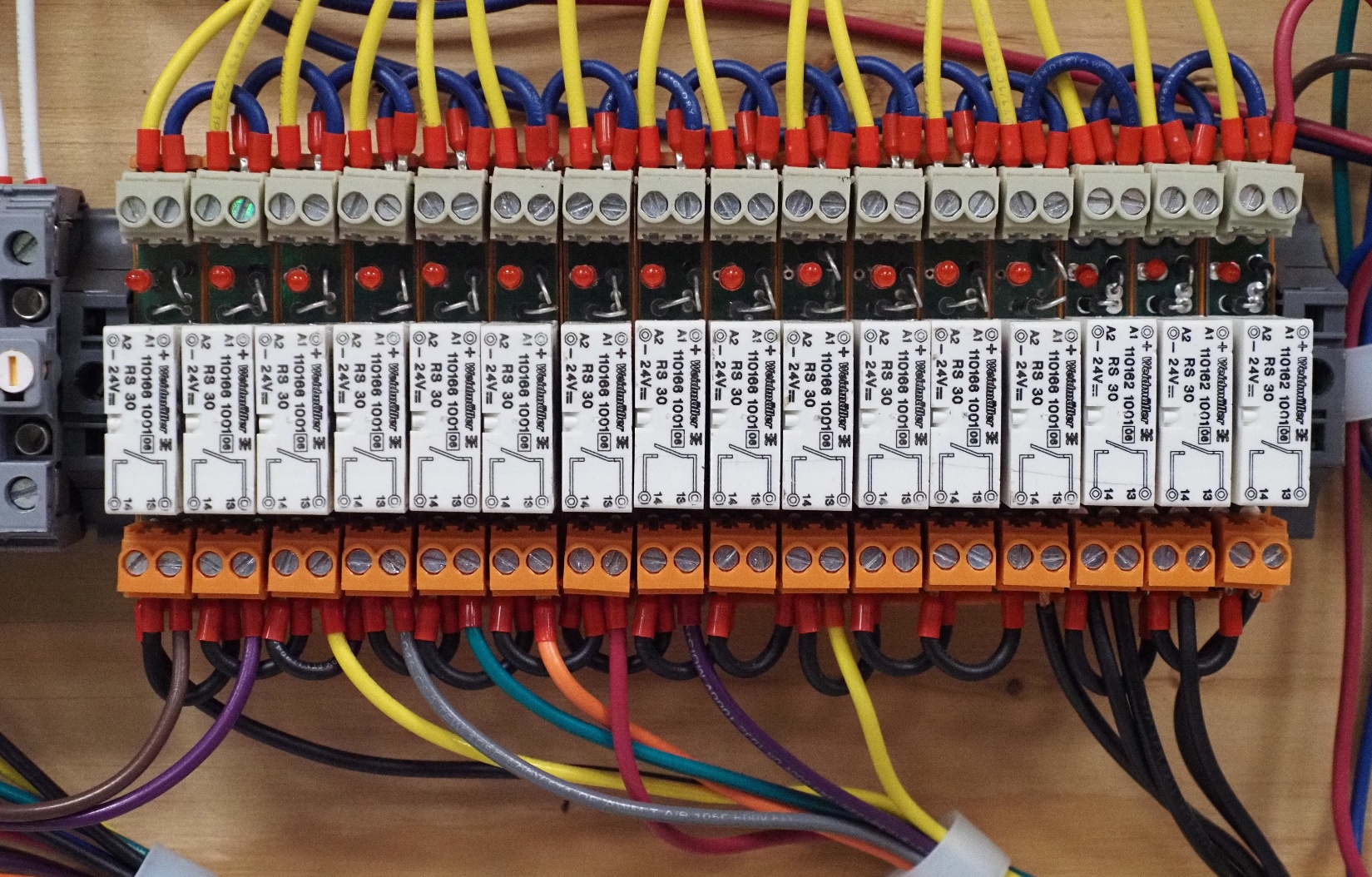
The yellow wires at the top come from the PLC outputs. The wires at the bottom connect to various AC devices on the panel. The relay sits in between — when the PLC energizes the coil with low-voltage DC, the relay’s contacts close, switching the high-voltage AC load.
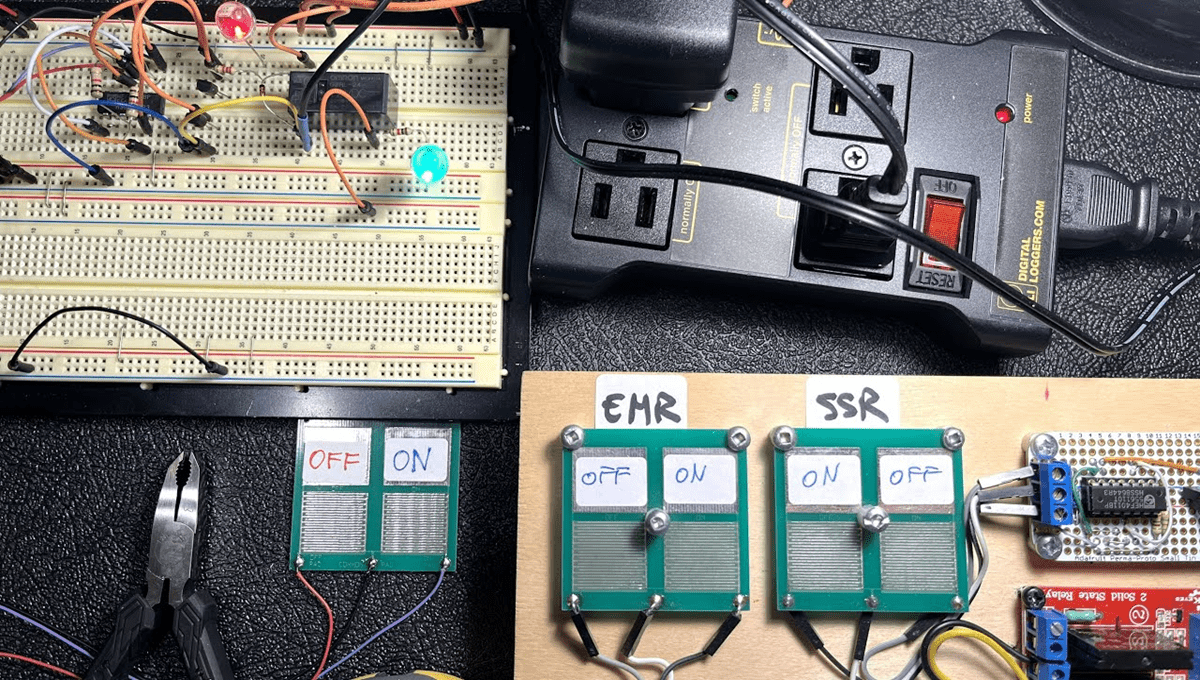
For a practical demonstration of this exact concept using a 5V DC breadboard project to control 120V AC loads, watch this video by Chris:
How to control 120V AC loads from a 5V DC breadboard project:
https://youtu.be/DzwkuKSlfwo
B) Three-Phase AC Loads — Contactors – (PLC AC Loads)
The size of the relay contacts must match the load power being controlled. When three-phase loads are involved — motors being the most common — the relays are called contactors.
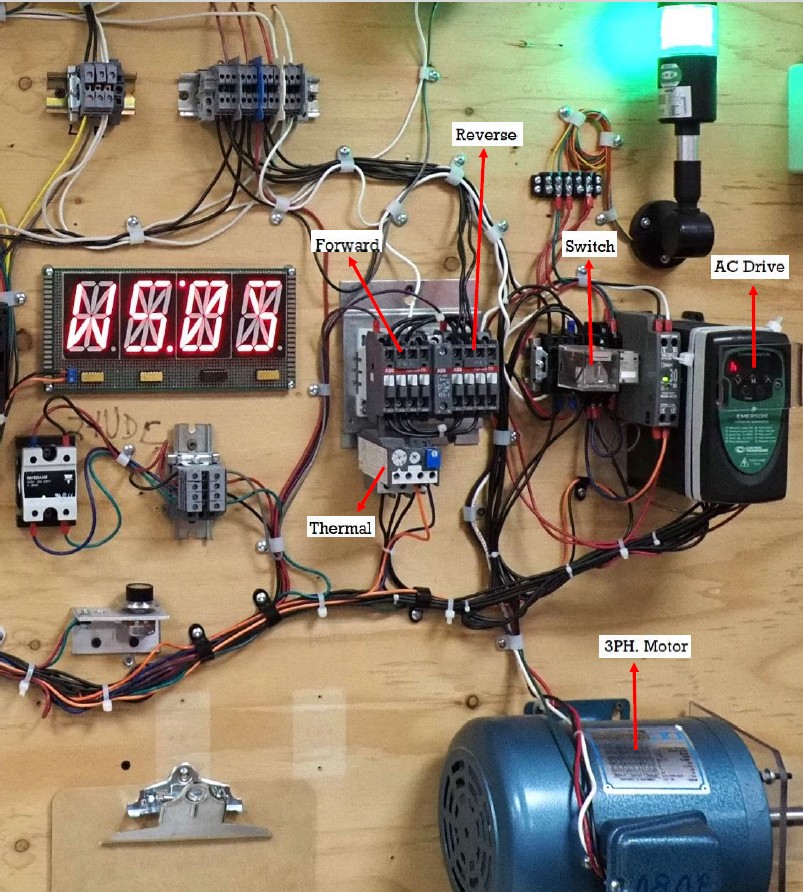
In this workstation, the motor can receive commands from either of two contactors — named Forward or Reverse, one for each direction — or from a Variable Frequency Drive (VFD). The contactors run the motor at nominal speed only (1750 RPM in this example), while the VFD can vary the motor speed as programmed.
A third three-phase relay, called a switch, decides whether the motor is controlled by the Drive or the contactors. You can also see a thermal protection relay in the assembly, which prevents the motor from overheating.
Even though this is a trainer built for students, it contains the same standard industrial parts you would find in a real automation cabinet. The difference is that it uses an open-wiring approach — so students can see everything, measure at will with an ohmmeter when powered down, and use a voltmeter or clamp meter when running.
The clamp meter is particularly useful here for monitoring the 4-20mA inputs of the Solid State Relay (SSR) visible in the middle-left of the panel.
For a compelling side-by-side demonstration of digital commands (contactors switching the motor on/off at fixed speed) versus analog commands (VFD varying motor speed continuously), watch:
The Three Amigos:
https://youtu.be/Oeji65L0HXg
When you hear the strong clicking sounds, that’s the contactors connecting and disconnecting the motor. When the click is replaced by a quieter sound, you’re watching speed variation on the AC drive display.
Additional Resources on Relays
If you want to go deeper on relays specifically, Chris has put together several practical video resources:
- PCB relays intro
- PCB relays — USB project presentation
- How to test your PCB relays
- How to make a USB printer switch
For a broader perspective on relays, Chris has also shared two detailed posts on LinkedIn:
Want to practice relay output logic without any hardware? Try the free ACC PLC Simulator — runs in your browser, no install required.
About the author: Chris Urban is an automation educator and PLC trainer with over 30 years of hands-on teaching experience in vocational training centers. Find him on YouTube and LinkedIn. — CU