
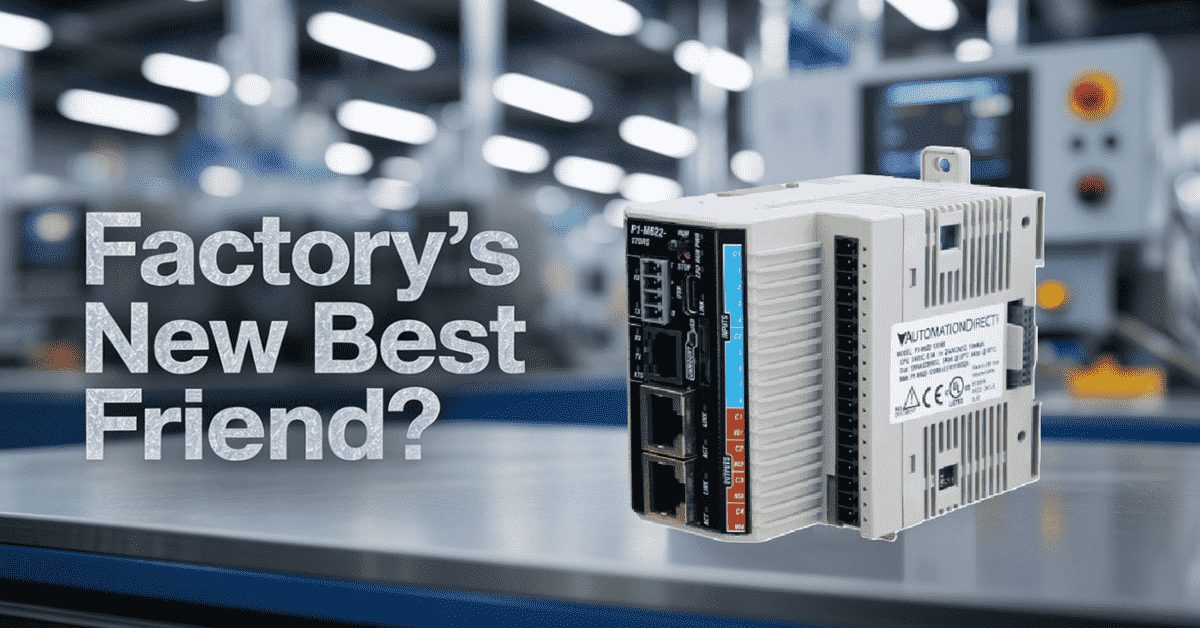
Did you know that the average industrial control panel has shrunk by nearly 40% over the past two decades, yet the demand for functionality has tripled? That stat alone tells you everything about where automation is headed. The days of massive control cabinets taking up half your floor space are fading fast. Enter the Productivity1000 Mini PLC series from AutomationDirect, and specifically, the P1-M622-16DR—a compact powerhouse that packs serious capability into a surprisingly small footprint.
I get questions all the time from folks just getting into automation: “What PLC should I start with?” or “I need something for a small machine, but don’t want to outgrow it in six months.” The P1-M622-16DR might be the answer to both questions. Let me walk you through why.
What Makes the P1-M622-16DR Different? (Mini PLC)
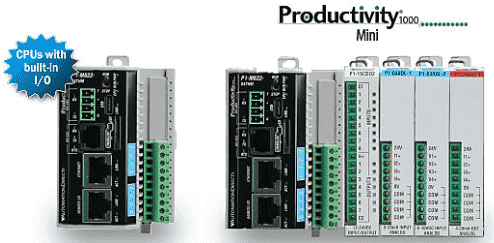
The Productivity1000 Mini series represents something relatively new in the automation world—an actual standalone PLC with built-in I/O. Unlike the traditional Productivity1000 system, which lets you purchase the CPU and I/O modules separately, the Mini series combines everything into a single, compact unit. Think of it as the Swiss Army knife approach to programmable controllers.
The P1-M622-16DR comes with eight discrete DC inputs and 8 relay outputs right out of the box. That “16DR” in the part number? It tells you exactly what you’re getting—16 points total, DC inputs, and Relay outputs. AutomationDirect’s naming conventions actually make sense once you crack the code.
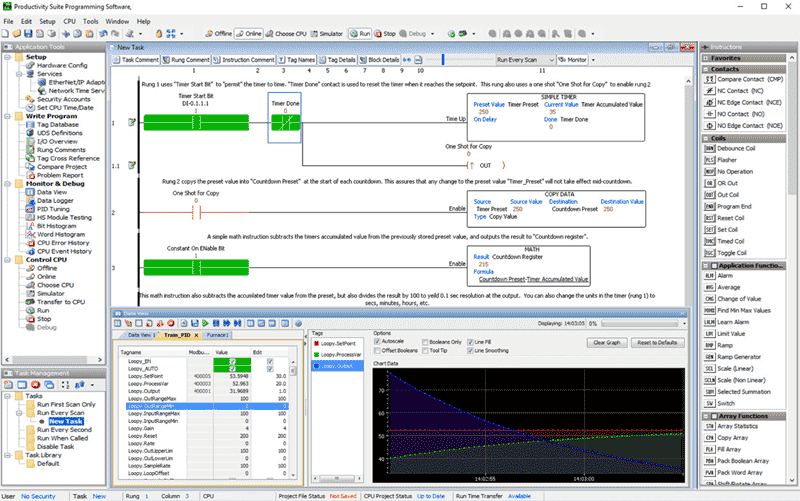
But here’s where it gets interesting. Despite its compact size, this little controller runs on the same Productivity Suite software as its larger siblings—the P2000 and P3000 series. That means you’re not learning a “lite” version of the programming environment. Every instruction, every function, every communication protocol you master on this unit transfers directly if you ever scale up to bigger systems.
Technical Specifications Worth Knowing
Let’s talk numbers, because that’s what matters when you’re speccing out a control system.
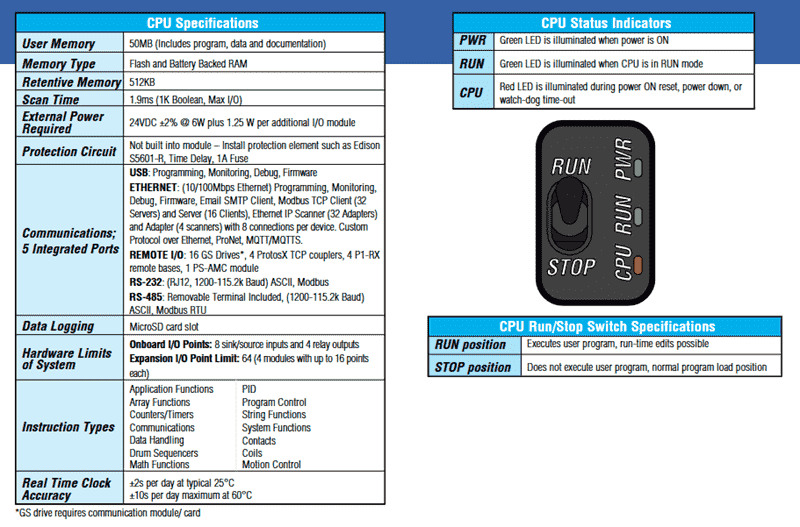
The P1-M622-16DR operates on 24VDC power with a tolerance of plus or minus 2%, drawing approximately 5W from the CPU alone. Add about 1.25W for each additional expansion module you stack onto the system. The input side accepts 12 to 24 VDC signals with a comfortable operating range from 10.2 to 26.4 VDC. Input impedance sits at 3kΩ, and your ON voltage threshold is anything above 9VDC, while OFF registers below 4.5VDC. Response times clock in at 2ms maximum, with 1ms being typical—plenty fast for most discrete control applications.
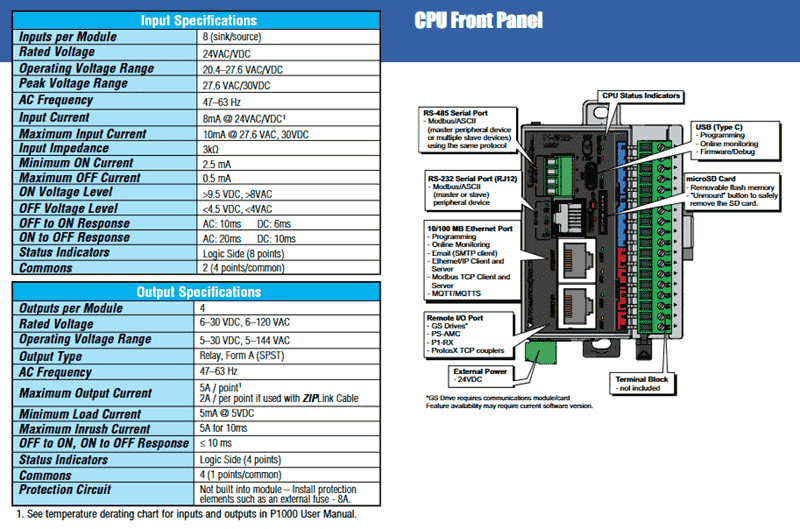
The relay outputs handle both AC and DC loads, making them incredibly versatile. Need to switch a 24VDC solenoid valve? Done. Have a legacy 120VAC pilot light you need to control? Not a problem. This flexibility means you won’t need external interposing relays for mixed voltage systems.
Memory-wise, you’re looking at 50 MB of user memory, including your program, data, and documentation. That’s right—documentation. The Productivity Suite lets you embed notes, descriptions, and comments directly in the project file, and it all lives in the CPU. No more hunting for that binder of printouts from three years ago.
Communication Capabilities That Punch Above Their Weight (P1 Mini)
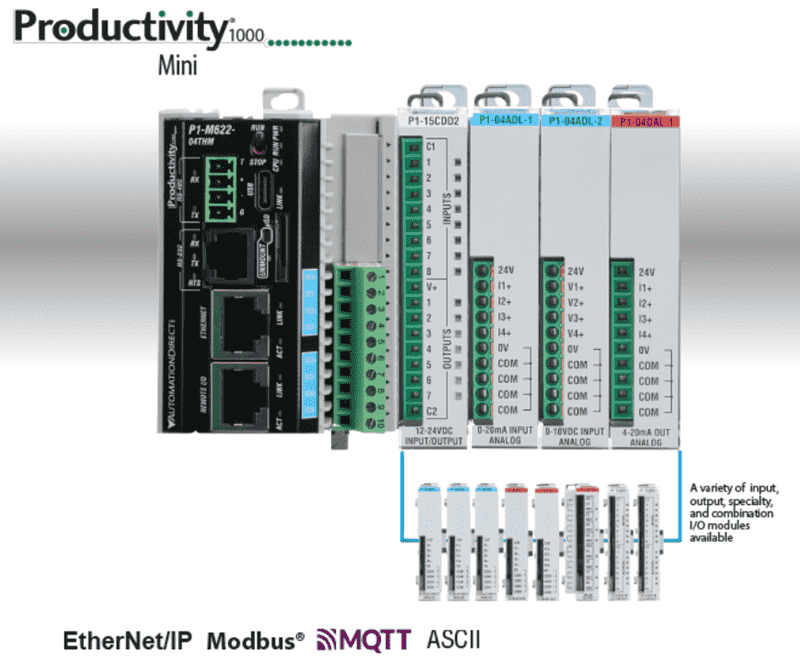
Here’s where the P1-M622-16DR really shines. Five built-in communication ports come standard on this controller:
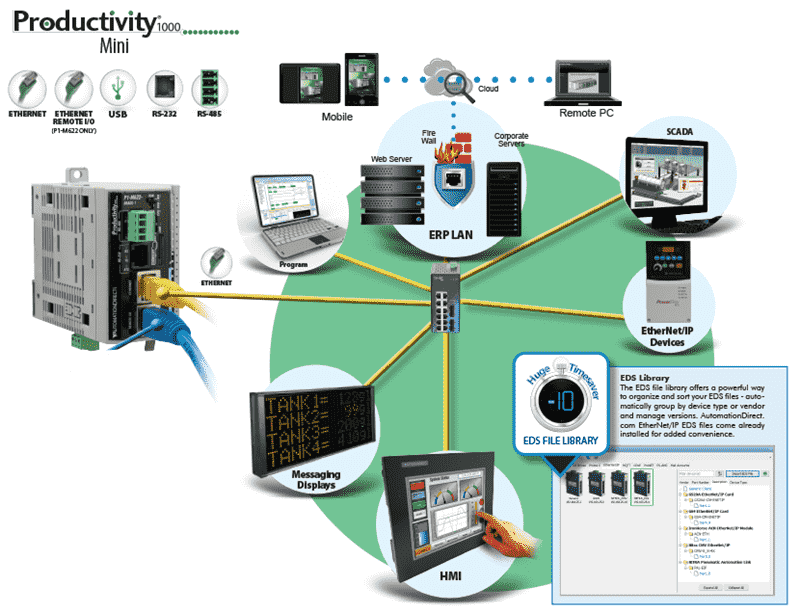
The USB-C port supports programming, online monitoring, and firmware updates at 480 Mbps. Gone are the proprietary programming cables of the old days. The 10/100Mbps Ethernet port supports programming, Modbus TCP with up to 32 clients and 16 server connections, Ethernet/IP scanning and adapting, custom UDP/TCP protocols, and MQTTS for IIoT applications. The dedicated Remote I/O port connects to GS series variable frequency drives, the PS-AMC motion controller, ProtosX field I/O systems, and P1-RX remote I/O bases. RS-232 and RS-485 serial ports round things out for legacy Modbus RTU and ASCII protocol devices.
That MQTTS support deserves special attention. If you’re thinking about connecting your control system to cloud platforms, this controller speaks that language natively. No additional modules, no complex gateway configurations. You configure your broker connection, define your topics, and start publishing data. It’s genuinely that straightforward.
Wiring Practices That Will Save You Headaches
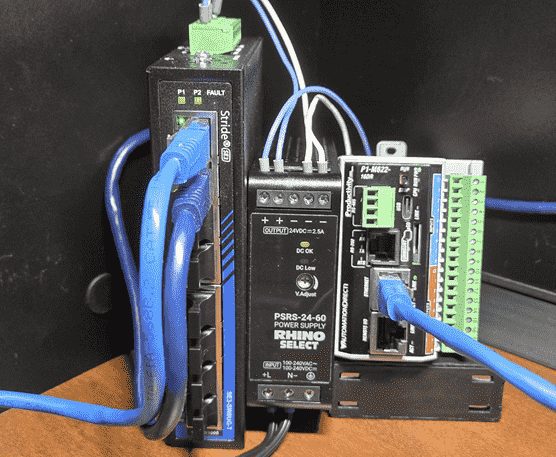
Now let’s talk about something that separates the professionals from the hobbyists: proper wiring practices. The P1-M622-16DR uses an 18-position removable terminal block for field wiring. Terminal blocks accept wire sizes from 30 to 16 AWG for solid conductors or 28 to 16 AWG for stranded wire. Strip length should be approximately 6 to 7mm.
Here’s my recommendation for everyone new to industrial wiring: use ferrules. Always. Without exception.
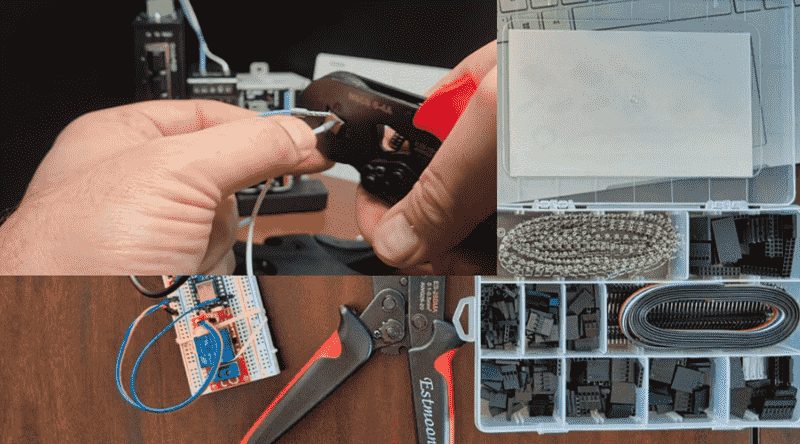
Ferrules are small metal sleeves that crimp onto the stripped end of stranded wire. Why bother? Three reasons that matter in the real world.
First, ferrules prevent strand separation. When you insert bare stranded wire into a screw terminal and tighten it down, individual strands can escape and potentially contact adjacent terminals. On a 3.5mm pitch terminal block like this one, you don’t have much room for error. A single stray strand bridging between terminals can cause erratic operation, blown outputs, or worse—equipment damage. Ferrules keep everything contained in a neat, uniform package.
Second, ferrules reduce connection resistance. When a stranded wire gets clamped by a screw terminal, only some strands make solid contact. Others get crushed or displaced. Over time, through vibration and thermal cycling, this leads to increased resistance, heat buildup, and eventual failure. A properly crimped ferrule distributes the clamping force evenly across all strands, creating a gas-tight connection that stays reliable for years.
Third, ferrules make maintenance faster. When troubleshooting at 2 AM because a line is down, the last thing you want is fighting with bird-nested wire ends. Ferrules let you insert and remove wires cleanly, every time.
For this controller, use DIN 46228 Part 4 compliant ferrules sized for your wire gauge. A good crimping tool with proper die sets isn’t optional—it’s essential. The cheap ratcheting crimpers from the hardware store won’t cut it. Invest in quality tools from Weidmuller, Phoenix Contact, or similar manufacturers. Your future self will thank you.
Where Does This Productivity P1 Mini Controller Fit?
The P1-M622-16DR occupies a sweet spot in the market. It’s more capable than a simple relay logic system, but doesn’t require the investment of a full-blown modular PLC platform.
Consider applications like small packaging machines where you need to coordinate a handful of pneumatic cylinders, monitor some photoeyes, and communicate with an HMI. Or a water treatment lift station with a few pumps, level sensors, and a SCADA connection requirement. Material handling systems with conveyor sections, diverters, and barcode scanner interfaces work beautifully. Test fixtures in manufacturing that need to sequence through a procedure and log results to a database are a perfect fit for the capability set.
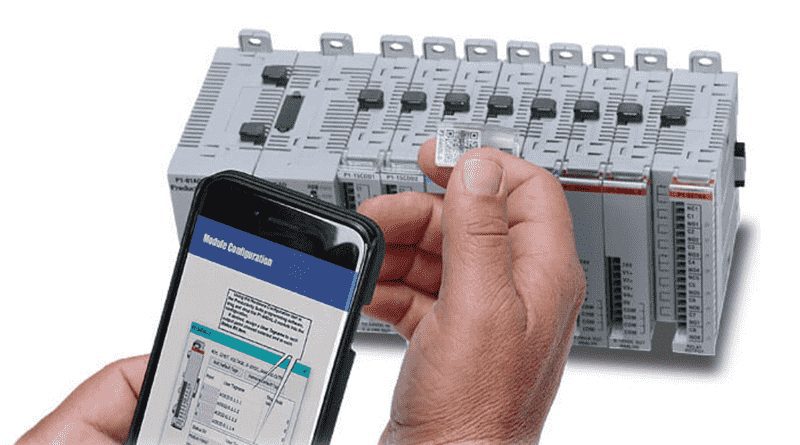
The expansion capability means you’re not boxed in either. Stack up to 4 additional I/O modules onto the Mini PLC for a maximum of 80 discrete I/O points or 40 analog channels locally. If you need even more, the Remote I/O port supports up to 512 additional points through P1-RX expansion modules. That’s a serious amount of I/O from what starts as a palm-sized controller.
Getting Started With The P1 Mini
The Productivity Suite programming software is free to download from AutomationDirect’s Website. No license keys, no dongles, no subscription fees. Download it today and start familiarizing yourself with the environment before your hardware even arrives. The built-in simulator lets you write and test programs without physical hardware—perfect for learning or validating logic before deployment.
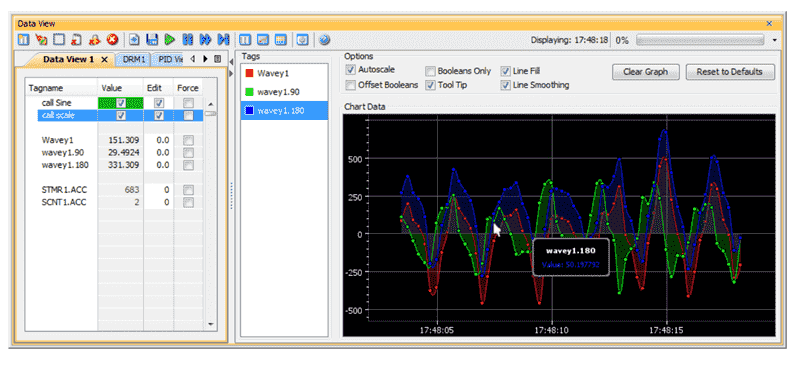
When you’re ready to program the actual controller, connect via USB-C or Ethernet, transfer your project, and flip the RUN switch. Tag-based addressing means you’re working with meaningful names like “Conveyor_Start” and “Part_Present_Sensor” instead of cryptic register numbers. This makes programs self-documenting and dramatically easier to troubleshoot six months down the road when you’ve forgotten what register M247 was supposed to do.
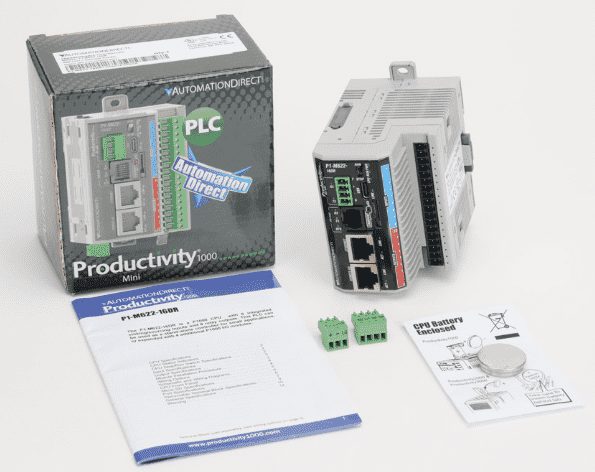
The P1-M622-16DR represents what modern industrial control should be: powerful enough for real applications, accessible enough for newcomers, and priced reasonably enough that you can actually justify it on a project budget. Whether you’re automating your first machine or adding a compact controller to an existing system, this Mini PLC deserves serious consideration.
What projects are you working on that might benefit from this type of controller? Drop a comment below or reach out through the contact page. I’m always interested to hear what real-world problems people are solving with these tools.
Watch for upcoming tutorials covering the Productivity1000 Mini series programming examples and communication setup guides.
Watch on YouTube: P1-M622-16DR Mini PLC: Is This Your Factory’s New Best Friend?
To build digital twins of machinery, test control logic, and learn automation without expensive hardware, use Machine Simulator. This is an all-in-one industrial automation software that creates realistic 3D virtual environments for designing, simulating, and programming mechanical systems and PLCs. To learn more about the Machine Simulator and digital twins, click here.
Click here to view the entire series on the Productivity 1000. Remember that the whole Productivity series of PLCs uses the same software. This means you only need to learn one platform, making it easier to configure, program, and maintain different models. This consistency streamlines training, reduces setup time, and ensures a smoother transition when upgrading or expanding your automation systems.
If you have any questions or need further information, please get in touch with me.
Thank you,
Garry
ACC Automation
There are many different PLC manufacturers with other hardware and software. All of the programmable logic controllers have similar basic features. Here is how I would approach learning about basic PLCs.
Once you are familiar with the basics of the PLC, you will then learn specifics for the controller you will be programming.
This is the easiest way to learn about PLC programming.
Here are the controllers that we have covered or are covering at ACC Automation:
LS Electric XGB PLC Series
BRX Do-More Series (Do-More Designer Software + Simulator)
Productivity Series P1000 / P2000
Click PLC Series
Omron CP1H Series
Horner XL4 PLC Series
Arduino Opta PLC
The EasyPLC Software Suite is a comprehensive package that includes PLC, HMI, and machine simulator software. This allows you to make a digital twin. See below to receive 10% off this software. This PLC learning package contains the following:
Easy PLC – PLC Simulation will allow programming in Ladder, Grafcet, Logic Blocks, or Script.
HMI System – Easily create a visual human-machine interface (HMI)
Machine Simulator – A virtual 3D world with real-time graphics and physical properties. PLC programs can be tested using the EasyPLC or through other interfaces. (Modbus RTU, TCP, etc.)
Machine Simulator Lite – Designed to run on Android Devices.
Machine Simulator VR – Virtual Reality comes to life so you can test, train, or practice your PLC programming.
Purchase your copy of this learning digital twin package for less than $95 USD for a single computer installation or less than $110 USD to allow access on multiple computers.
Receive 10% off the investment by typing in ACC in the comment section when you order.
Learn PLC programming the easy way. Invest in yourself today.
Examples of PLC program development using the five steps.
Click PLC – Easy Transfer Line Programming – Video
Productivity PLC Simulator – Chain Conveyor MS – Video
Five Steps to PLC Program Development – Die Stamping
PLC Programming Example – Process Mixer
PLC Programming Example – Shift Register (Conveyor Reject)
PLC Programming Example – Paint Spraying
PLC Programming Example – Delay Starting of 7 Motors
PLC Programming Example – Pick and Place
PLC Programming Example – Sorting Station (Shift Register)
PLC Programming Example – Palletizer
If you’re like most of my readers, you’re committed to learning about technology. The numbering systems used in PLCs are not difficult to understand. We will walk through the numbering systems used in PLCs. This includes Bits, Decimals, Hexadecimal, ASCII, and Floating Points.
To get this free article, subscribe to my free email newsletter.
Use the information to educate others on how numbering systems work. Sign up now.
The ‘Robust Data Logging for Free’ eBook is also available as a free download. The link is included when you subscribe to ACC Automation.