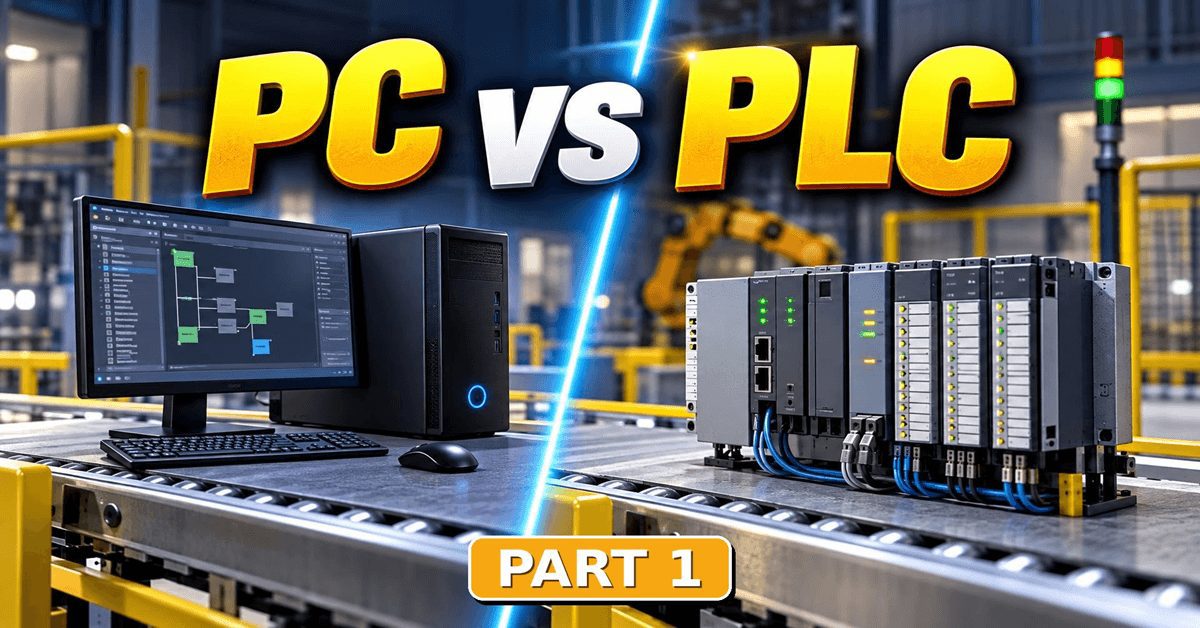
What really separates a PLC from a computer? It comes down to microprocessor vs microcontroller — two kinds of chip built for two very different jobs. Let’s start there.
“Every microcontroller runs on magic smoke. We know this because once you let the smoke out of the chip, it stops working.” — Unknown
On a more serious note:
“Ultimately, the difference between a microprocessor and a microcontroller is not about which one is better, but about which one is more appropriate for a given task. A microprocessor brings raw computational strength and flexibility, enabling rich user interfaces and complex operating systems. A microcontroller brings precision, control and efficiency, quietly managing the physical world with minimal resources. Together, these two types of chips form the backbone of modern technology, each excelling in its own domain and complementing the other.” — Piyush Prasoon
Before we can answer the big question, we have to settle the microprocessor vs microcontroller question — the main difference between the two brains.
Why “Micro”?
An interesting little detail here is the word “micro.” It has nothing to do with the submultiple — it is a historical appendage.
When the PC came out in 1981, engineers tried to find a place for it among the other existing computers. The market already had:
- Supercomputers, owning their own temperature-controlled buildings.
- Mainframes, taking up at least one entire floor of a building, depending on their configuration.
- Minicomputers, as “small” as big cabinets — but ready to expand across a whole floor too.
I still remember the late 80s, working in the PDP-11 auxiliary hard drive room. There were at least 16 drives on the floor, each as big as a washing machine, and each storing 40MB of data.
Compared to these mammoths, no surprise the tiny PC was labelled a “microcomputer.” By that logic, everything smaller we use now — phones, tablets, smart watches — should maybe be called nanocomputers.
And the brain governing the PC was called — you guessed it — a microprocessor. By extension, the PLC’s brain got the same prefix: microcontroller.
Microprocessor vs Microcontroller: Inside the Two Brains
Allow me to simplify their internals to the sketch below.
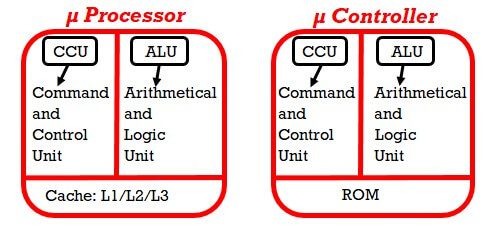
All Intel x86 processors had both a CCU (Command and Control Unit) and an ALU (Arithmetic Logic Unit), but it was not until the ‘486 generation that the math co-processor — the FPU, or Floating Point Unit — was integrated onto the same chip as the other two blocks.
What remains to clarify is that tricky name “cache memory.” Its logical position was always between the processor and the RAM.
The ‘386 had a kind of Level 1 cache in the form of multiple ICs on sockets placed on the PC main board. The ‘486 was more advanced — it contained a small amount of cache on the processor die itself, making it Level 1, with the chips on the main board becoming Level 2.
Today’s processor chips easily spread the cache across three levels, where L1 is closest to the processor. Even hard disks have a small amount of cache — usually up to 256MB — on their control board, where it is called a “buffer.”
Let’s leave pipelining, hyper-threading, multiple cores and the like out of this discussion — the goal here is only to distinguish between the two bodies, processor and controller.
When you keep opening apps on your laptop, you can easily identify them on the task bar. Each app receives a certain percentage of the RAM map, and a similar percentage of the cache too. The thing about the cache is that, despite being volatile memory like the RAM, it is not under the control of the user. Its role is essential, because it increases the speed of data transfer between the processor and the storage devices.
A Word on the Word “Cache”
Were you ever curious enough to look up “cache” in the dictionary? As I mentioned in an older article about relays, there are thousands of French words in the English language. But when referring to that particular kind of RAM, “cache” looks to me like a clever combination of two words, each magnifying its function:
- the word cash — because it suggests the quickest way to exchange something of value; in our case, computer instructions or data.
- the French word caché — because this small amount of RAM is completely hidden from view. The user has no access to it and cannot “see” it — only the processor does.
Combine the two with no accent, and you have the word: cache memory – with no accent.
What the Microcontroller Has Instead
Now look at the second figure, the microcontroller. It does not have a cache inside. Instead, there is a piece of permanent memory embedded alongside the CCU and the ALU on the same die — so to distinguish the whole chip from a standard microprocessor, it was given the name microcontroller.
And what is this permanent memory for? This is where you drop off the program you make. Whether you program an Arduino board or a PLC, the process is similar: open the programming software, write the instructions in the appropriate language, then transfer the resulting program into the microcontroller.
As David Brin says:
“You don’t have conversations with microprocessors. You tell them what to do, then helplessly watch the disaster when they take you literally!”
Note: this surely extends to microcontrollers as well.
A Short History of ROM
As we tried to shed light on the microprocessor’s cache, let’s do the same for the ROM. The technology has evolved significantly since the infancy of the PLC. Here are the main practical ROM versions.
PROM — Programmable Read-Only Memory
This type was used for many years for the firmware of all kinds of equipment, from copy machines to mp3 players. PROMs were recorded only one time, at the factory — hence the acronym OTP, One Time Programmable. When the content needed to change, to add instructions or correct a bug, the only option was to replace the chip with a newer sample.
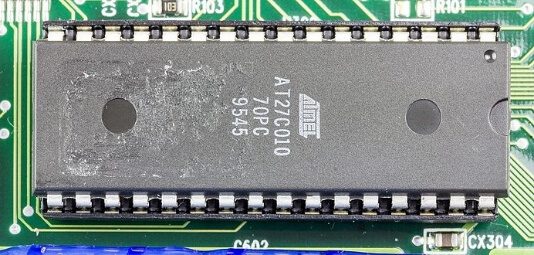
EPROM — Erasable PROM
The chip has a quartz window on top of the silicon die. Quartz is expensive compared to standard glass, but it has a valuable feature: it lets UV light pass through. So when the EPROM content needs to change, several chips are placed on a table and exposed to a strong UV lamp for about 30 minutes, until all the information fades out. Then they can be reused.
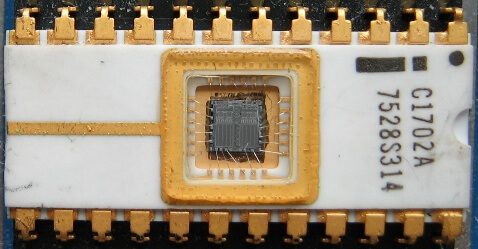
EEPROM — Electrically Erasable PROM
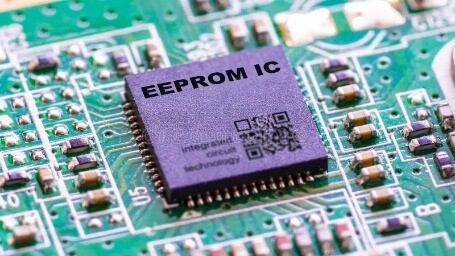
Instead of 30 minutes under a UV lamp, the EEPROM is erased electrically. A short electrical signal clears the memory in about a millisecond — and because the erasing is electrical, it can be done right in the circuit, without removing the chip and without the separate UV eraser the EPROM required. That is the whole point of the extra “E”: electrically erasable, in place, and even byte by byte rather than all at once.
Flash PROM
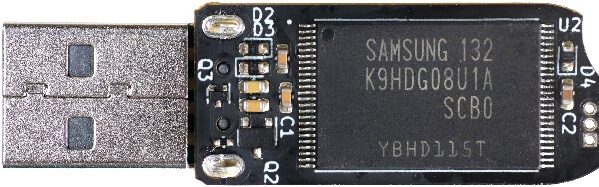
Either NOR or NAND type, this is what we use now on USB flash drives, SSDs, smartphones and memory cards like CF, MMC, SD and microSD. Flash can be thought of as the high-speed, high-density descendant of the EEPROM — erased and rewritten electrically, but in larger blocks.
And let’s not forget the CD-ROM and DVD-ROM. Even if they are no longer in use, the principle was similar.
Is “ROM” a Misleading Name?
That brings us to one last note, to clarify the acronym ROM. You surely remember there were also re-writable CDs and DVDs, despite the “ROM” in the name. So is “ROM” misleading? Not at all — we should just read “Read-Only” in a broader, more tolerant sense.
Most ROM technologies — except perhaps the OTPs — allow the memory to be erased and re-inscribed with new data. The reason we still call them “Read-Only” is not really historical. It refers to the read/write ratio. Yes, we can copy plenty of songs, pictures and documents onto our portable memory — but most of the time we listen, watch and read the content. The ratio is heavily in favour of reading over writing.
In Part 2, we will see how the microprocessor and the microcontroller fit into the structure of the PC and the PLC.
Want to practice PLC programming right now? The free ACC PLC Simulator runs ladder logic and Structured Text in your browser — no install, no login.
About the author: Chris Urban is an automation educator and PLC trainer with over 40 years of hands-on experience. Find him on YouTube and LinkedIn. — CU