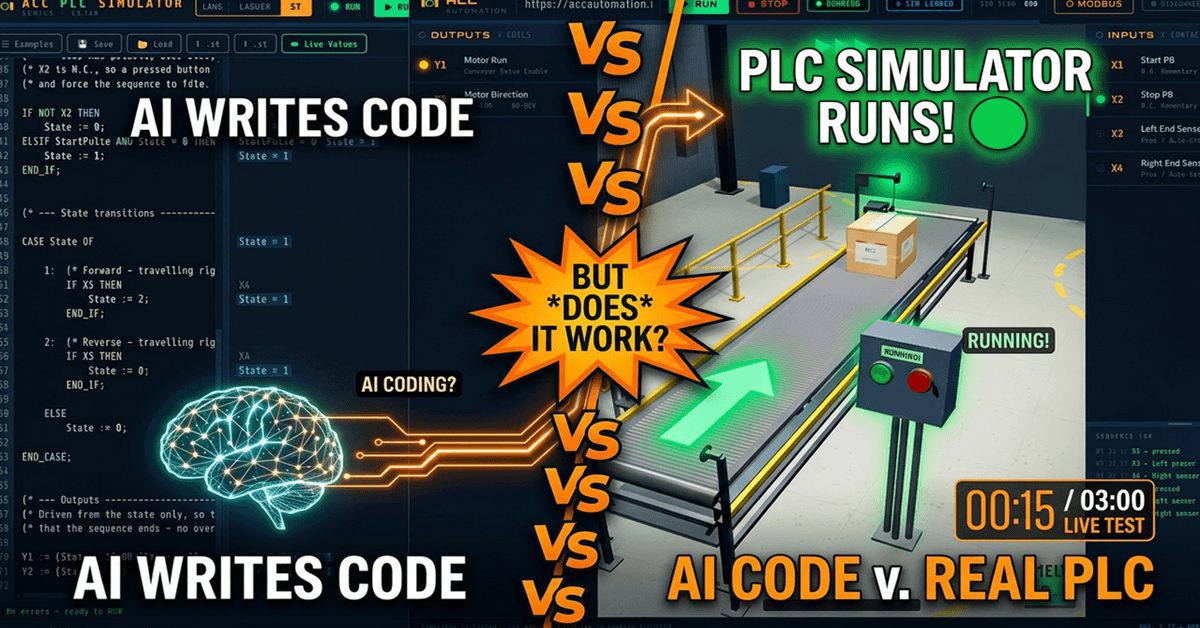
Can AI Program a PLC? I Tested AI-Generated PLC Code Live.
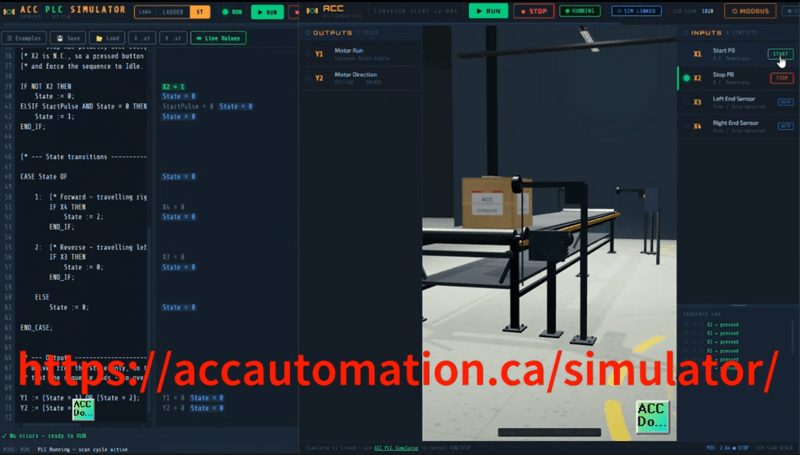
I gave an AI assistant one task: write a complete conveyor control program in Structured Text for the ACC PLC Simulator. Start the motor, detect the box at each end with proximity sensors, reverse direction, auto-stop, and handle a restart. Then I pasted the AI-generated PLC code into the simulator, connected the 3D Conveyor Scene, and pressed Run.
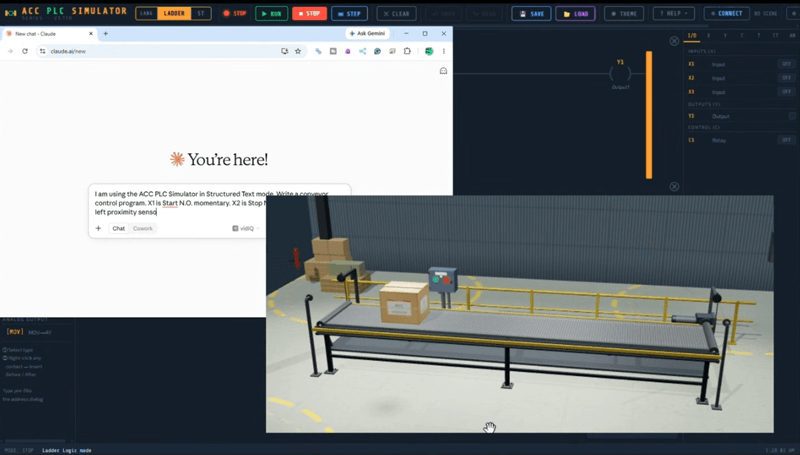
Here is what happened.
Try it yourself: accautomation.ca/simulator/
The Setup
The Conveyor Scene has six I/O points. X1 is Start (N.O.). X2 is Stop (N.C., TRUE at rest). X3 is the left proximity sensor. X4 is the right proximity sensor. Y1 is motor run. Y2 is direction (OFF = forward, ON = reverse).
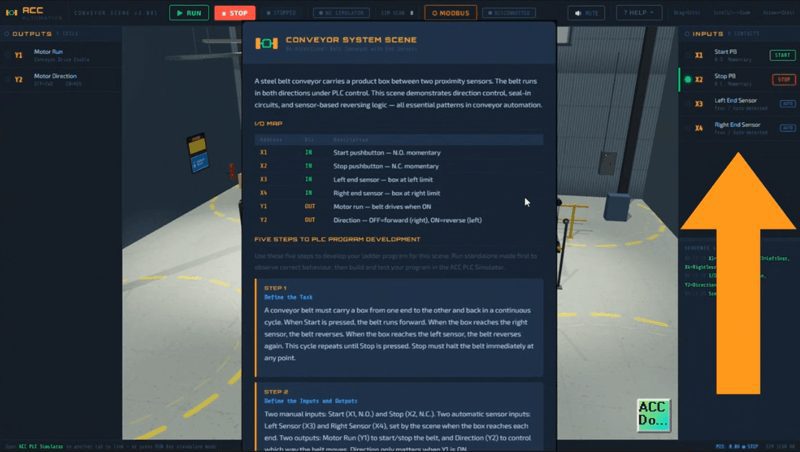
The sequence I asked the AI to implement: press Start, box travels forward, box hits the right sensor, direction reverses, box travels back, box hits the left sensor, motor stops automatically. Press Start again to repeat the cycle. Stop button works at any time.
I used Claude as the AI assistant and the ACC PLC Simulator in Structured Text mode to test the AI generated PLC code in real time.
Testing AI Generated PLC Code — The First Attempt
Here is exactly what I typed into Claude:
“I am using the ACC PLC Simulator in Structured Text mode. Write a conveyor control program. X1 is Start N.O. momentary. X2 is Stop N.C. TRUE at rest. X3 is left proximity sensor. X4 is right proximity sensor. Y1 is motor run. Y2 is direction where OFF is forward and ON is reverse. The box starts at the left, travels forward to the right sensor, reverses, travels back to the left sensor, and stops. The operator can press Start again to repeat. Stop works at any time.”
Claude did not produce the two-line boolean approach I expected. Instead it generated a full state machine with variable declarations, a one-shot on the Start button, stop priority logic, and CASE-based state transitions. Here is the AI generated PLC code exactly as Claude wrote it:
(* CONVEYOR SHUTTLE CONTROL - Structured Text *)
(* ACC PLC Simulator - Conveyor Scene *)

VAR
    State      : INT  := 0;      (* 0 = Idle, 1 = Forward, 2 = Reverse *)
    StartLast  : BOOL := FALSE;  (* Start button state, previous scan  *)
    StartPulse : BOOL := FALSE;  (* One-shot on the Start press        *)
END_VAR

(* One-shot the Start button *)
StartPulse := X1 AND NOT StartLast;
StartLast  := X1;

(* Stop has priority over everything *)
IF NOT X2 THEN
    State := 0;
ELSIF StartPulse AND State = 0 THEN
    State := 1;
END_IF;

(* State transitions *)
CASE State OF
    1:  (* Forward - travelling right *)
        IF X4 THEN
            State := 2;
        END_IF;
    2:  (* Reverse - travelling left *)
        IF X3 THEN
            State := 0;
        END_IF;
    ELSE
        State := 0;
END_CASE;

(* Outputs driven from state *)
Y1 := (State = 1) OR (State = 2);
Y2 := (State = 2);
What the AI Generated PLC Code Got Right
I was not expecting this level of structure from a single prompt. Here is what Claude got right on the first attempt.
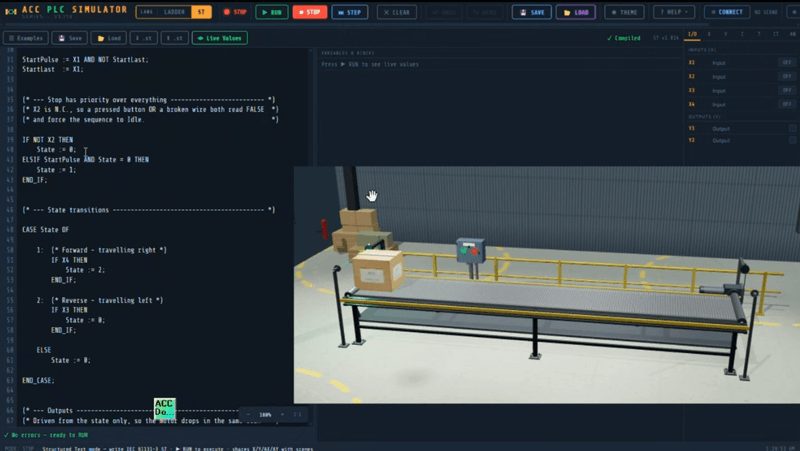
State machine architecture. Instead of boolean seal-in logic, Claude chose a proper state machine with three states: Idle, Forward, and Reverse. This is cleaner and more maintainable than the equivalent boolean approach.
One-shot on Start. The StartPulse variable fires for exactly one scan when X1 transitions from FALSE to TRUE. Without this, holding Start would immediately restart the cycle the instant the box reaches the left sensor. The AI anticipated this edge case before I even asked.
Stop priority. The IF NOT X2 check runs before anything else. If Stop is pressed or the wire breaks, the state drops to Idle immediately regardless of where the box is. This is correct fail-safe behavior for a N.C. Stop button.
CASE statement for transitions. Each state has exactly one transition condition. State 1 moves to State 2 when X4 is TRUE. State 2 moves to State 0 when X3 is TRUE. Clean and readable.
Outputs derived from state. Y1 and Y2 are calculated from the State variable at the bottom. The motor drops in the same scan that the sequence ends. No overtravel past the sensor.
Comments. The AI generated PLC code came fully commented, including the I/O table, the sequence description, and explanations for why the one-shot and stop priority exist.
Testing the AI Generated PLC Code
I pasted the AI generated PLC code into the simulator and connected the Conveyor Scene.
Cycle 1: Pressed Start. Y1 turned on. Box traveled forward. Hit right sensor (X4). Direction reversed. Box traveled back. Hit left sensor (X3). Motor stopped. Correct.
Cycle 2: Pressed Start again. Motor started. Full cycle repeated. The one-shot handled the restart correctly because StartPulse only fires on the rising edge of X1. The box sitting at X3 did not block the restart because the state machine uses StartPulse, not a direct X1 contact.
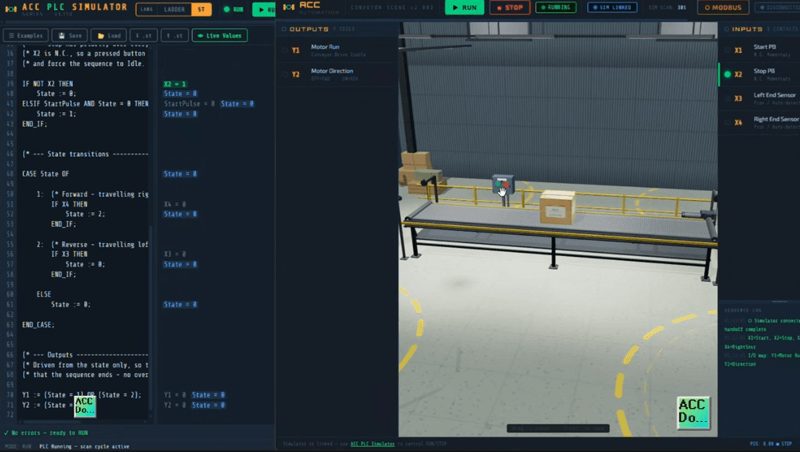
Stop during forward travel: Pressed Stop. State dropped to 0. Motor stopped. Direction reset. Correct.
Stop during reverse: Pressed Stop. Same behavior. Correct.
Rapid Start presses: Pressed Start three times quickly. Motor started on the first press. The one-shot prevented multiple triggers. Correct.
Power-up state: All variables initialize to zero or FALSE. State starts at Idle. Motor off. Direction forward. Correct.
Where AI Generated PLC Code Still Needs a Human
The code worked. Every test passed. But that does not mean you should blindly trust it. Here is what I still had to verify manually.
Scan order matters. The one-shot runs before the stop check, which runs before the CASE transitions, which run before the outputs. If any of these were in the wrong order, the behavior would change. I traced the execution path one scan at a time in Step mode to confirm the order was correct.
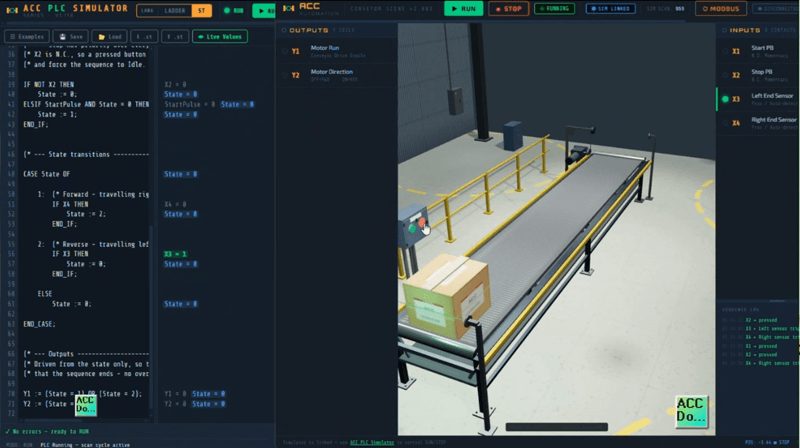
The NOT X2 logic. Claude wrote IF NOT X2 to check for Stop. Since X2 is N.C. and TRUE at rest, NOT X2 is FALSE at rest. When Stop is pressed, X2 goes FALSE, so NOT X2 becomes TRUE and the state drops. This is correct but it requires understanding the N.C. wiring convention. A programmer who does not understand why NOT X2 means “Stop is pressed” could easily misread this AI generated PLC code.
Variable initialization. State initializes to 0 in the VAR block. If your PLC platform does not support initialization in the declaration, you would need to handle the first-scan state differently. The ACC PLC Simulator supports this syntax so it works here.
No interlock between Start and Stop. If Start and Stop are pressed simultaneously, NOT X2 fires first and forces State to 0. The StartPulse on the next line would set State to 1 in the same scan. But because the CASE block runs after the IF block, State 1 is valid and the motor would start. Whether this is acceptable depends on your application requirements. In most cases you want Stop to win unconditionally. This is an edge case worth discussing with the AI if your application requires strict stop priority.
The Takeaway — AI Generated PLC Code Needs a Human
The AI produced better code than I expected. A state machine with a one-shot, stop priority, proper fail-safe behavior, and clean comments. It worked on every test.
But I still spent 20 minutes tracing the scan order, verifying the NOT X2 logic, testing edge cases, and confirming the variable initialization. The AI generated PLC code does not know your machine. It does not know your company’s standards. It does not know whether simultaneous Start and Stop should favor Stop or Start.
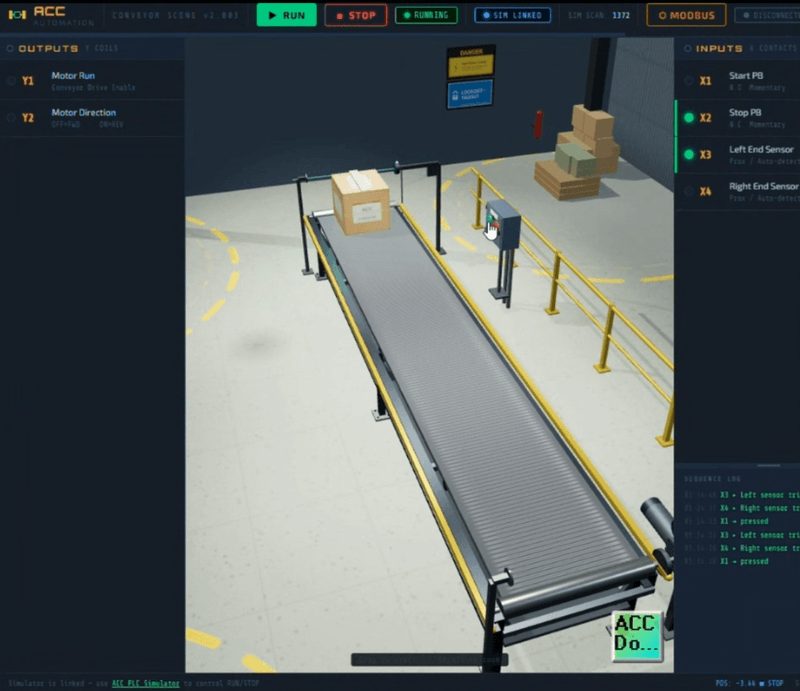
You are the programmer. You know the machine. If you cannot explain what every line of code does, do not put it on a real PLC. AI can help you write it, understand it, and check it. But you are the one who has to stand behind it.
Try It Yourself
Open the ACC PLC Simulator at accautomation.ca/simulator/. Switch to ST mode. Ask your favorite AI to write a conveyor program. Paste the AI generated PLC code in. Connect the Conveyor Scene. See what it gets right and what it gets wrong. Then trace every line in Step mode until you can explain it.
For the rules I follow every time I use AI for PLC programming, read Rules and Recommendations for Using AI in PLC Programming.
Watch this on YouTube: Can AI Program a PLC? I Tested It Live in the ACC PLC Simulator!
If you have any questions or need further information, please contact me. Thank you, Garry