I Replaced a $5,000 PLC Trainer with a Free PLC Training Simulator.
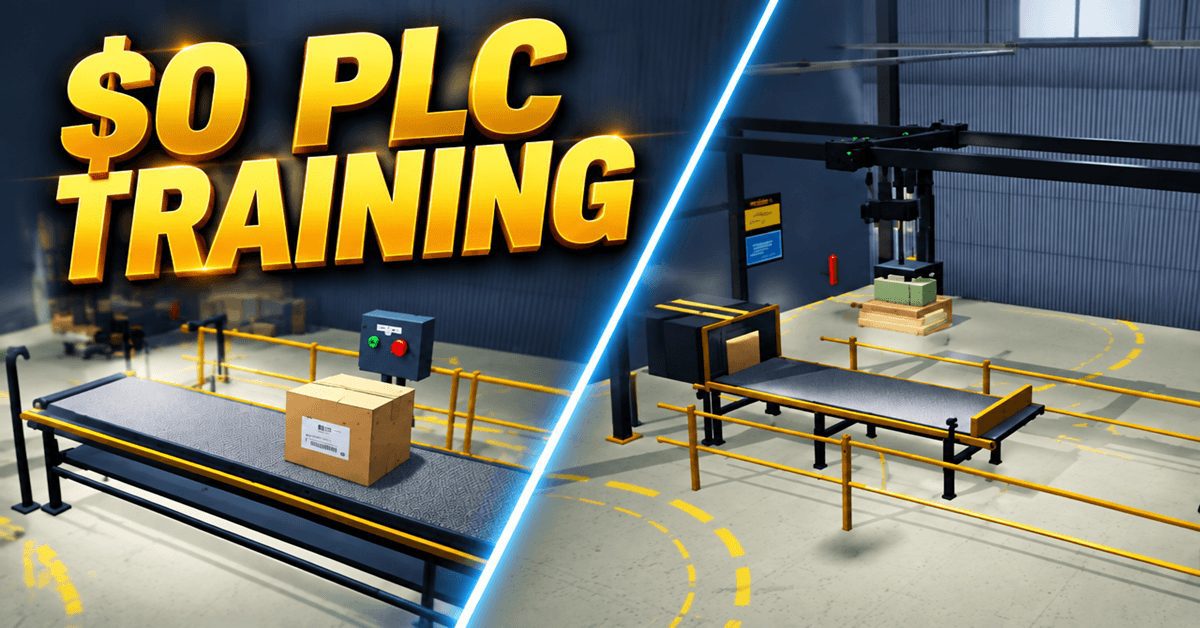
A PLC training panel costs between three and eight thousand dollars. Technical colleges buy racks of them. Self-learners look at the price and walk away. Companies send employees to week-long courses at two thousand dollars per seat. I built a free PLC training simulator that runs in your browser and does most of what those panels do. No hardware. No downloads. No license fees.
This is not a sales pitch. I am going to show you exactly what the free PLC training simulator does, what a physical trainer does, where the simulator wins, and where the hardware still matters. Then you can decide for yourself.
Try it now: accautomation.ca/simulator/
What a $5,000 PLC Trainer Gives You
A typical PLC training panel includes a PLC processor, a power supply, digital input switches, digital output indicators, pushbuttons, pilot lights, maybe a small motor or conveyor, analog potentiometers, and terminal blocks for wiring. Some include an HMI screen. Everything is mounted on a panel with wire numbers and a terminal strip.
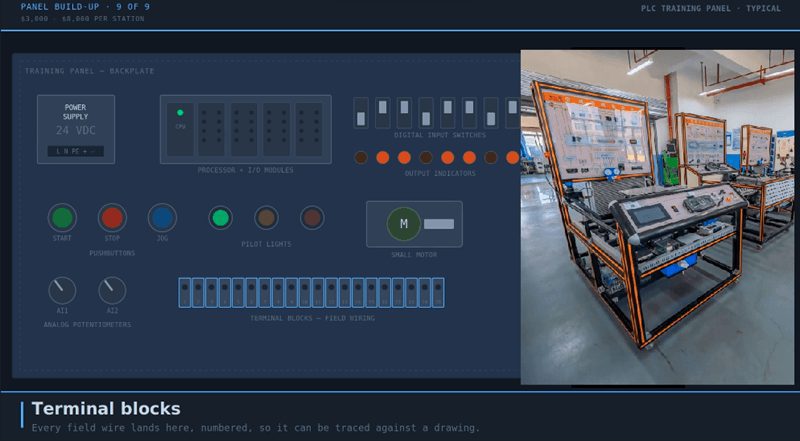
You plug it in, open the programming software, connect to the PLC, write your program, download it, and press the buttons to test. This is how every PLC training course in the world works. It costs between three and eight thousand dollars per station. A classroom needs six to twelve stations. Do the math.
What the Free PLC Training Simulator Gives You
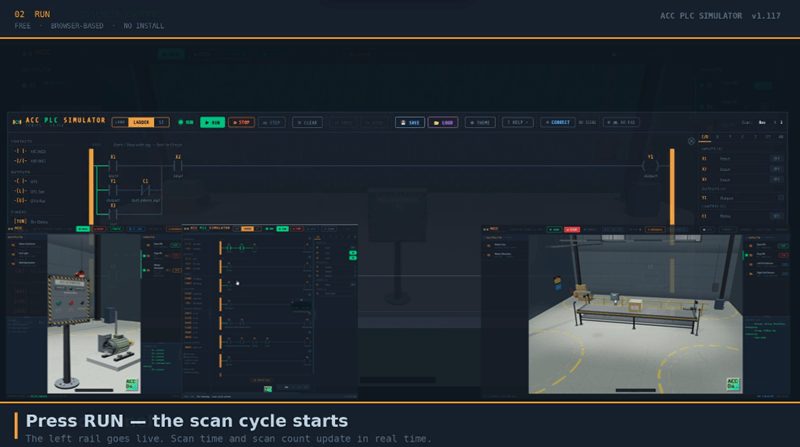
The ACC PLC Simulator is a free PLC training simulator that runs entirely in Chrome, Edge, or Firefox. Here is what you get at zero cost.
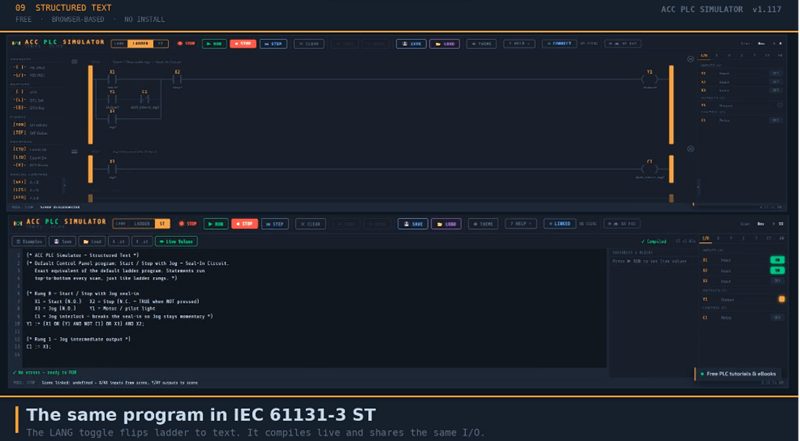
A ladder logic editor with contacts, coils, timers, counters, and analog compare instructions. A Structured Text editor for IEC 61131-3 ST programming. An I/O panel with toggle switches for digital inputs, indicators for outputs, and sliders for analog inputs. RUN, STOP, and STEP mode with visual power flow and a live variable watch panel.
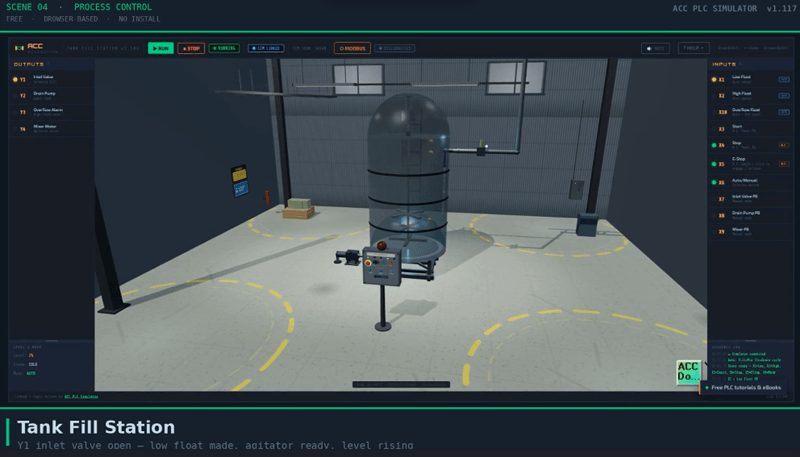
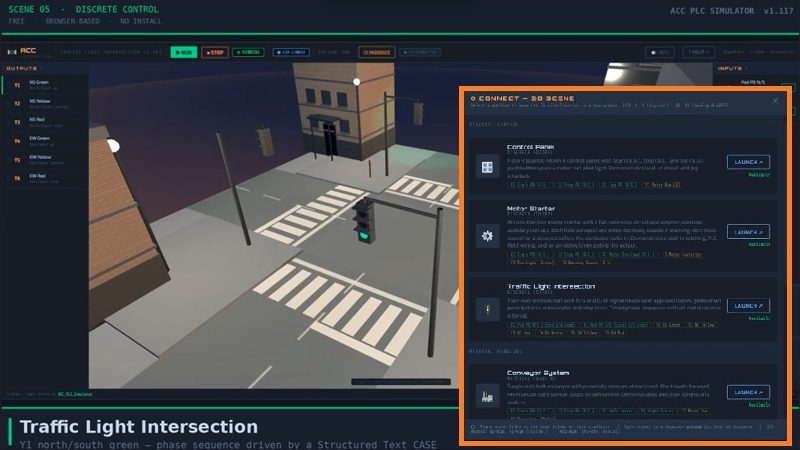
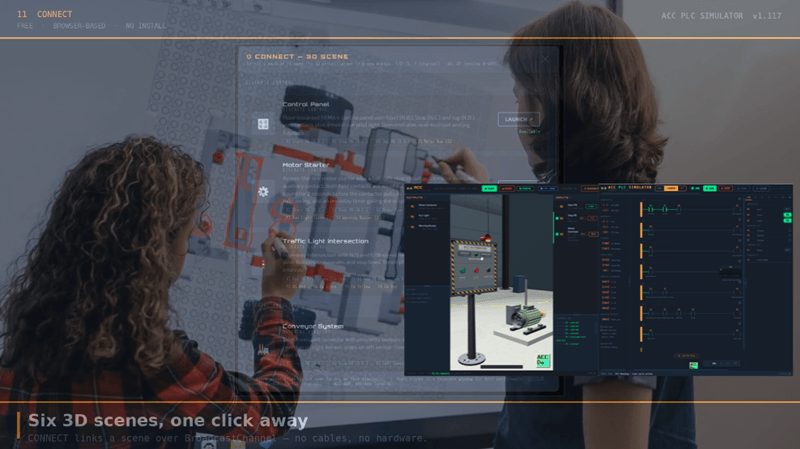
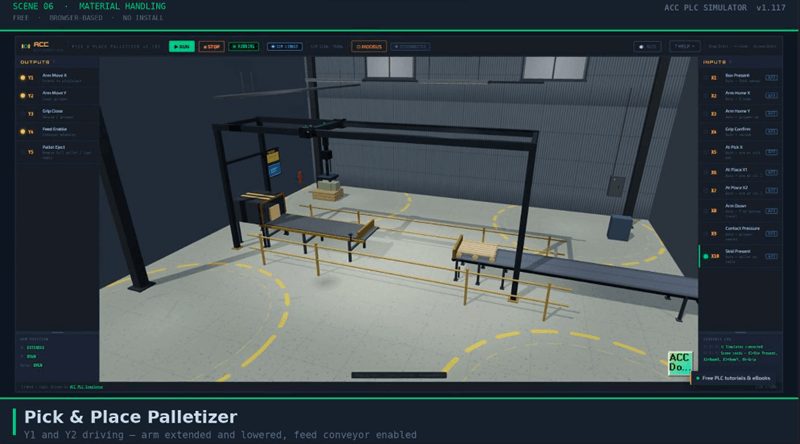
And six interactive 3D scenes that respond to your logic in real time. A Control Panel with Start, Stop, and Jog pushbuttons. A Motor Starter with an overload contact and a pre-start warning horn. A Belt Conveyor with proximity sensors. A Tank Fill Station with float switches and a drain pump. A Traffic Light Intersection with pedestrian buttons. A Pick and Place Palletizer with an XY gantry arm.
Plus gamepad support, Modbus TCP connection to real PLCs through the ACC Modbus Bridge, save and load for both ladder and ST programs, and built-in example programs.
Feature Comparison — Free PLC Training Simulator vs Hardware
Here is the side-by-side comparison.
| Feature | $5,000 Trainer | Free PLC Training Simulator |
|---|---|---|
| Ladder logic programming | Yes | Yes |
| Structured Text programming | Depends on PLC brand | Yes — IEC 61131-3 |
| Digital inputs (buttons, switches) | Physical switches | I/O panel toggles + 3D scene buttons + gamepad |
| Digital outputs (lights, LEDs) | Physical pilot lights | I/O panel indicators + 3D scene lights |
| Analog inputs | Physical potentiometers | Sliders (0-4095) + gamepad triggers |
| Motor control | Small motor on panel | 3D conveyor belt + 3D palletizer |
| Process simulation | Usually none | Tank fill, traffic light, conveyor |
| Multiple industrial scenarios | One fixed panel | Five scenes, more in development |
| Step mode debugging | Depends on software | Yes — single scan with visual feedback |
| Modbus TCP communication | Yes (with real PLC) | Yes (via ACC Modbus Bridge) |
| Real wiring practice | Yes | No |
| Electrical troubleshooting | Yes | No |
| 24V power supply | Yes | No |
| Setup time | Hours (unbox, wire, configure) | Zero — open browser, start programming |
| Cost per student | $3,000 – $8,000 | Free |
| Requires installation | PLC software required | No — runs in browser |
| Gamepad input | No | Yes — full controller support |
Where the Free PLC Training Simulator Wins
The free PLC training simulator wins on accessibility, variety, and speed.
Cost. Zero dollars versus thousands. A self-learner in any country with a browser can start learning PLC programming today. No budget approval. No purchase order. No waiting for hardware to ship.
Variety. One physical trainer has one fixed panel. The free PLC training simulator has five different industrial scenes with different I/O patterns. A conveyor teaches motor control and direction logic. A tank teaches process control with float switches. A traffic light teaches sequential timing. Each scene introduces different challenges. A physical trainer does the same exercise every time.
Structured Text. Most entry-level PLC trainers ship with PLCs that support ladder logic only, or the instructor only teaches ladder. The free PLC training simulator supports both ladder and IEC 61131-3 Structured Text with a single click. Students can write the same program in both languages and compare.
Step mode. The simulator’s STEP mode lets you toggle an input, execute one scan, and see exactly which contacts changed. This is the fastest way to understand the PLC scan cycle. Most physical trainers run continuously and students watch outputs without understanding what happened inside the scan.
Setup time. Open a browser. Start programming. No unboxing, no wiring the trainer, no installing software, no configuring communication ports. A student can be writing ladder logic in under 30 seconds.
Gamepad. Plug in any USB or Bluetooth controller and the buttons become momentary pushbuttons, the triggers become analog inputs, and the sticks control the 3D camera. This gives a physical, tactile input that a mouse and keyboard cannot match.
Where the Hardware Trainer Still Wins
I am going to be honest about this because it matters.
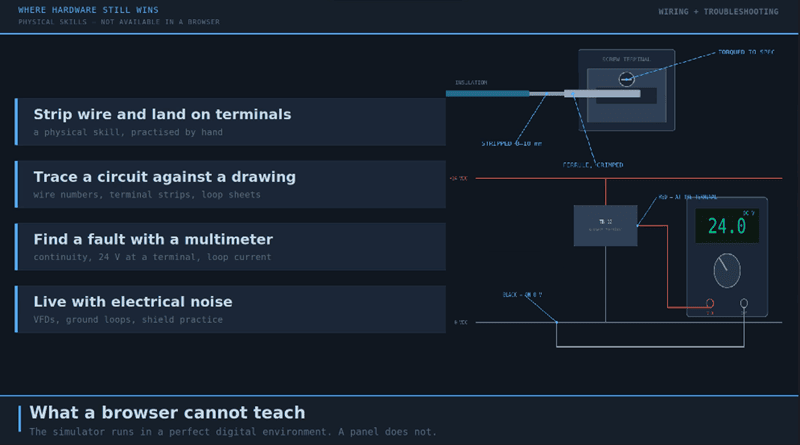
Real wiring. You cannot learn to strip wire, land on terminals, read wire numbers, and trace circuits in a simulator. Wiring is a physical skill that requires physical practice. Every electrician and controls technician needs this.
Electrical troubleshooting. Using a multimeter to find a broken wire, checking 24V at a terminal, measuring analog signals with a meter — none of this exists in a browser. Troubleshooting is half the job in the field.
Real electrical noise. PLCs in the real world deal with electrical noise, ground loops, and signal interference. A simulator runs in a perfect digital environment. The first time you wire a proximity sensor on a factory floor with VFDs running nearby, you will understand why shielded cable matters.
Physical I/O modules. Plugging in a module, setting DIP switches, wiring a sinking versus sourcing input — these are hardware skills that require hardware.
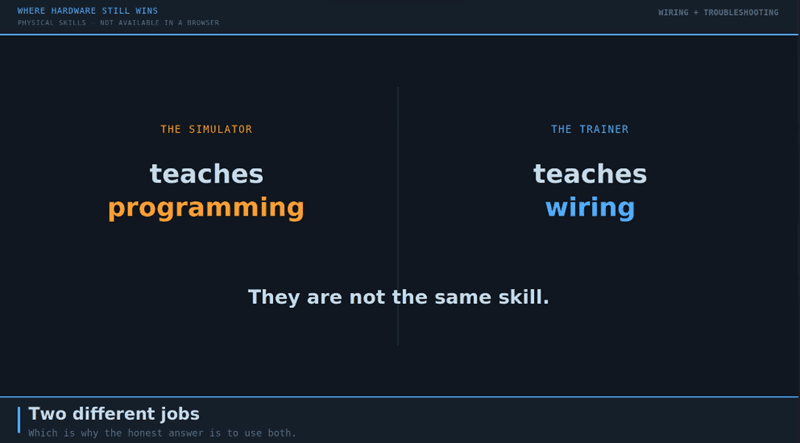
The simulator teaches programming. The trainer teaches wiring and troubleshooting. They are not the same skill.
The Smart Approach — Use Both
Here is what I recommend. Use the free PLC training simulator to learn programming first. Write a Start/Stop circuit. Build a conveyor program. Practice timers and counters. Learn Structured Text. Get comfortable with the scan cycle, the seal-in latch, normally closed contacts, and state machines.
Then when you get access to hardware — whether that is a training panel, a personal PLC kit, or a machine on the job — you already know the logic. The hardware becomes a wiring exercise, not a programming exercise. You cut the learning curve in half because you are not trying to learn two things at once.
For instructors: assign the free PLC training simulator as homework. Let students practice programming on their own time with the 3D scenes. Reserve the physical trainers for wiring labs where they need to be hands-on. You get twice the training in the same number of lab hours.
What Students Are Saying
The ACC PLC Simulator is being used by students, self-learners, and instructors around the world. The 3D scenes are what makes the difference. When a student presses Start and watches a 3D conveyor belt move, the logic clicks in a way that toggling an LED on a panel does not. The visual feedback makes abstract concepts concrete.
Try the Free PLC Training Simulator
Head over to accautomation.ca/simulator/ and try it yourself. Open any scene, connect it, write a program, and press Run. You will have a working PLC program controlling a 3D industrial scene in minutes.
Watch this on YouTube: I Replaced a $5,000 PLC Trainer with a Free PLC Training Simulator
Here is the full tutorial series to get you started:
- How to Use the ACC PLC Simulator
- Control Panel Scene Tutorial
- Conveyor Scene Tutorial
- Modbus TCP with BRX Do-More
YouTube Playlist: ACC PLC Simulator Series
If you have any questions or need further information, please contact me.
Thank you,
Garry