
Use AI wisely with PLCs. Rules and Recommendations for Using AI in PLC Programming!
AI is a genuinely useful helper when you are writing PLC code, but it is a helper — not a programmer, and definitely not a safety system. Over the last while I have worked out a set of rules I follow every time I let an AI assistant near a PLC program, and I want to share them with you. Follow these and AI will save you time and teach you a lot. Ignore them and it will eventually bite you.
I have grouped them so they are easy to remember. If you only take one thing away, take the golden rule at the bottom when you use AI.
This pairs with my post on Using AI to Program a Click PLC. New to PLCs? Start with the PLC Beginner’s Guide.
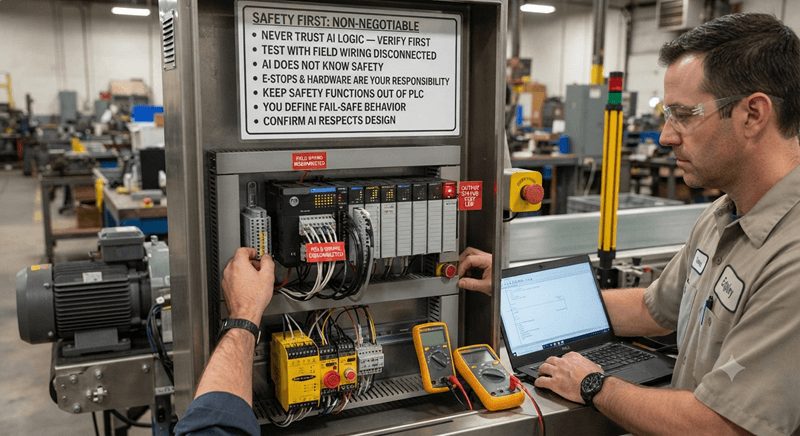
Safety comes first — these are non-negotiable
- Never let AI-generated logic control a real output until you have verified it yourself. Test with the field wiring disconnected — watch the output indicator, not the motor.
- AI does not know your safety requirements. Emergency stops, safety relays, light curtains, and guard interlocks are your responsibility. Do not ask AI to “handle safety.”
- Keep true safety functions out of the PLC and out of the AI’s scope entirely. Safety-rated hardware handles safety. A standard PLC — and an AI writing for it — is for control, not for protecting people.
- You decide the fail-safe design, not the AI. Normally closed stop buttons, de-energize-to-stop, broken-wire behavior — you specify these, and you confirm the AI respected them.
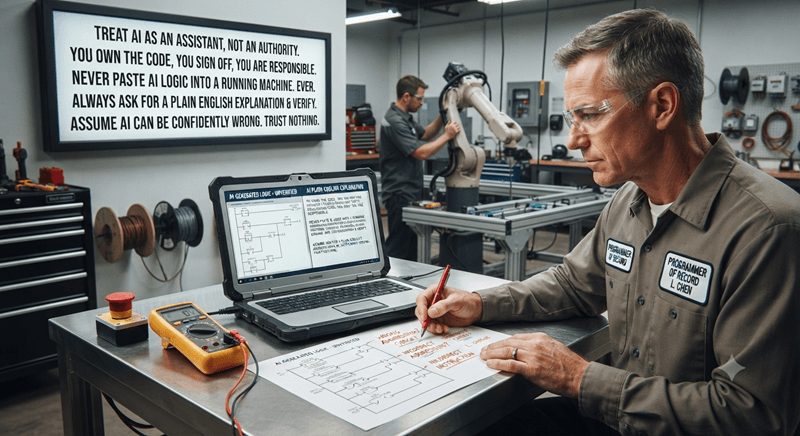
Use AI as an assistant, not an authority
- You are the programmer of record. You own the code, you sign off on it, and you are responsible for what it does. The AI is not.
- Never paste AI logic straight into a running machine. Ever. There is no exception to this one.
- Always ask the AI to explain its logic back to you in plain English, then check that explanation against what you know about your machine and your wiring.
- Assume the AI can be confidently wrong. It will invent instruction names, use the wrong addressing, or produce logic that reads fine but fails on the first edge case. Trust nothing until you have checked it.
Give the AI good information
- Tell it exactly which PLC and language you are using — for example, “AutomationDirect CLICK PLC, ladder logic.” Instruction sets and addressing differ from brand to brand, and a generic answer will not match your software.
- Describe the machine precisely: every input and output with its real address, how each button is wired (normally open or normally closed), what each output drives, and the sequence of operation you want.
- Work in small pieces. Ask for one rung or one function at a time and build the program up. Do not ask it to write the whole thing in one shot — that is where hidden mistakes live.
- State your constraints up front: retentive versus non-retentive, timer units, what should happen at power-up, and any interlocks that must always hold.
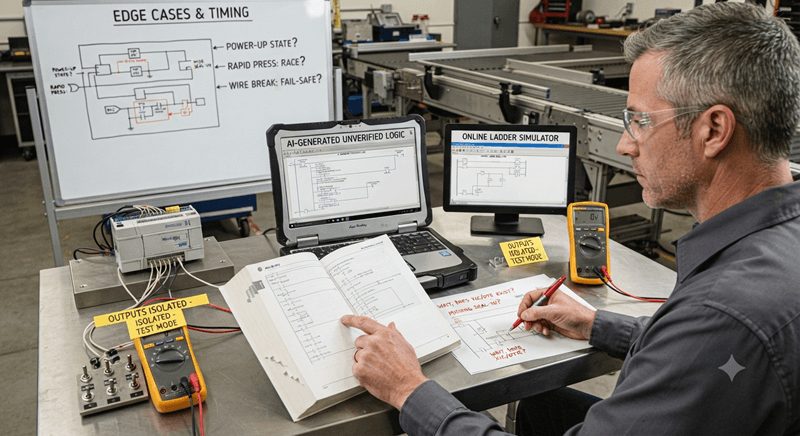
Verify everything before it runs
- Cross-check every instruction and address against the manufacturer’s manual or instruction set. If the AI used an instruction, confirm it actually exists on your platform and works the way it claimed.
- Prove the concept in a free online ladder simulator first, then test on the real PLC with the outputs isolated. Remember that some software — the CLICK software, for example — has no offline simulator, so you test on connected hardware using the data or monitoring view with the field wiring off.
- Test the edge cases the AI forgets: power-up state, switching modes, losing an input, rapid button presses, and what happens if a wire breaks. This is where AI logic usually falls apart.
- Watch for logic races and timing problems — missing seal-in, one-shots that fire twice, interlocks that depend on scan order. These read as correct on the page and misbehave in real time.
Protect your data and your company
- Do not paste proprietary or customer code, passwords, IP addresses, or plant details into a public AI tool. Strip that information out first, or use generic placeholders when you use AI.
- Check your company’s policy on AI use before you put any work-related code into an assistant. Many employers now have rules about this, and it is easier to ask first.

Use AI to get better, not to skip learning
- Ask “why,” not just “what.” When the AI gives you a rung, have it explain why each instruction is there. Learn the instruction so next time you do not need to ask.
- Let it help with documentation. AI is good at drafting rung comments and nicknames — but read them, because a wrong comment is worse than no comment.
- Use it to troubleshoot and review existing code. Describe a rung you did not write and ask what it does and what could break it. This is one of the most valuable things it does.
- Keep a human in the loop for anything important. A second set of human eyes catches what both you and the AI missed. And always back up your program before you change it.

The golden rule
If you cannot explain what a rung does, do not download it to a PLC. AI can help you write it, help you understand it, and help you check it — but you are the one who has to stand behind it.

Watch this on YouTube: DO NOT Use AI in PLCs Until You See This!
If you have any questions or need further information, please contact me.
I hope this is helpful to you.
Regards,
Garry
ACC Automation
http://www.accautomation.ca