
I’ve been around PLCs for a long time now, and I’ve watched a lot of people take their first run at programming one. PLC programming challenges affect everyone. Some come from an electrical background, some from IT, some from the maintenance shop floor, and some are students who have never wired a pushbutton in their life. What strikes me every time is that they all tend to hit the same walls — and almost none of those walls are about syntax.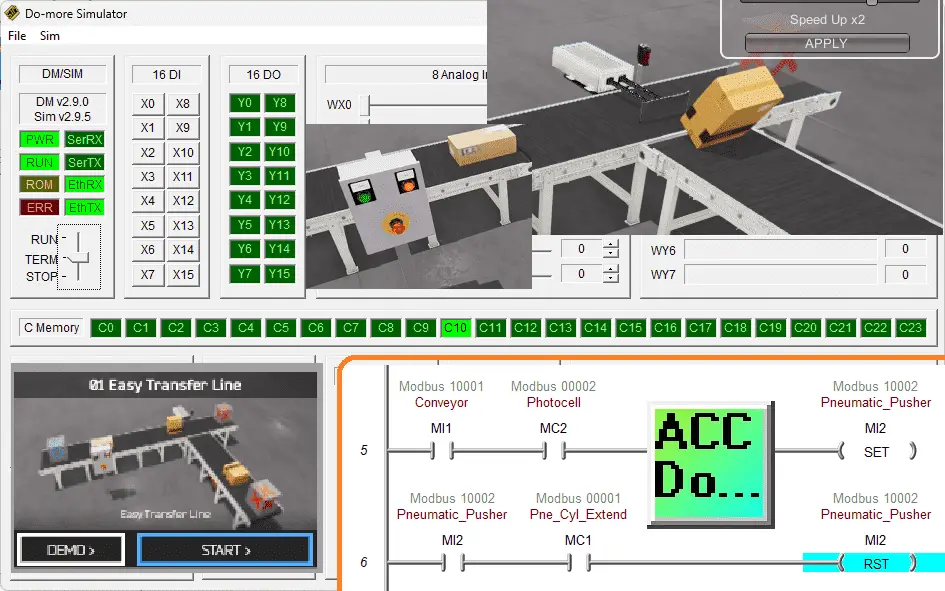
PLC programming is not hard because the instructions are not complicated. It’s hard because you’re writing software that moves real motors, and the gap between “logic on a screen” and “metal that hurts you if you get it wrong” is where beginners get stuck. After years of answering the same questions on the YouTube channel and in the comments here, I want to lay out the challenges I actually see — not the textbook list — and then show you the single thing that knocks most of them down at once.
Let’s get started.
The real PLC programming challenges nobody warns you about.
Challenge 1 – Software logic vs. a physical machine
In normal programming, a bug causes a window to crash. In PLC programming, a bug slams a cylinder home with a person’s hand in the way. That changes everything about how you have to think.
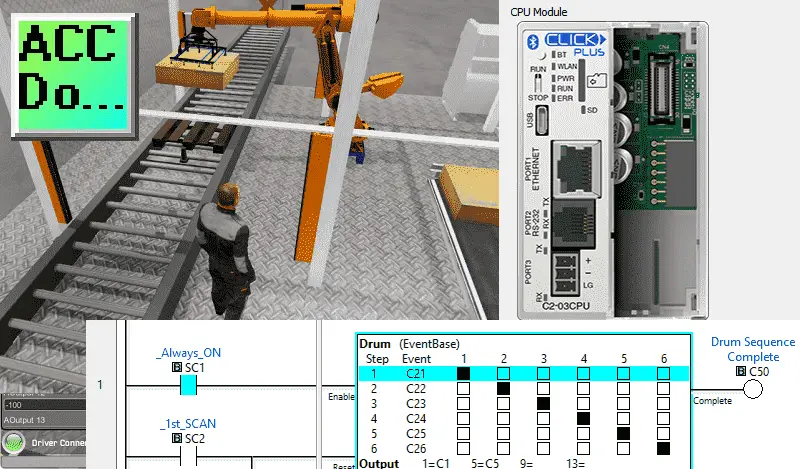
Newcomers underestimate how much they need to know about the machine before they touch the code. How does the sensor behave when the part is jammed? What does the cylinder do on a power loss? Where is the E-stop in the logic? This is the part nobody warns you about — you’re not really a programmer, you’re a process person who happens to write logic. If you don’t understand the mechanical, electrical, pneumatic, and safety side of the system, no amount of clever ladder will save you.
My honest take: safety awareness has to come before the first rung, not after the machine bites someone. Lock-Out/Tag-Out, safety interlocks, and “what happens on a fault” aren’t advanced topics. They’re rung one.
Challenge 2 – The scan cycle breaks your brain
This is the big one. People coming from C++, Python, or Java expect code to run top-to-bottom, pause where they want, and step through it. The PLC laughs at this idea.
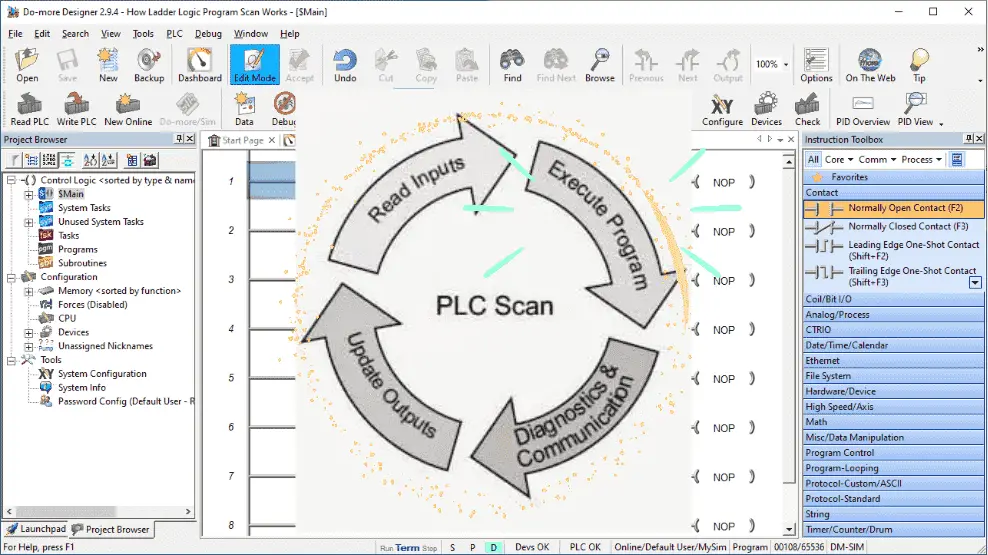
The PLC reads all inputs, solves the entire program left-to-right and top-to-bottom, updates all outputs, and then does it again — hundreds or thousands of times a second. A button press can land at any point in that cycle. Race conditions, an output that “won’t turn off,” duplicated coils that fight each other — almost every one of these beginner headaches traces straight back to not picturing the scan cycle correctly.
You cannot read your way out of this one. You have to watch it happen.
Challenge 3 – Proprietary software, and a language that looks like a wiring diagram
Every manufacturer has their own software, their own quirks, and sometimes their own price tag. A beginner often ends up needing to learn two or three platforms before anything feels familiar. And then there’s the language itself.
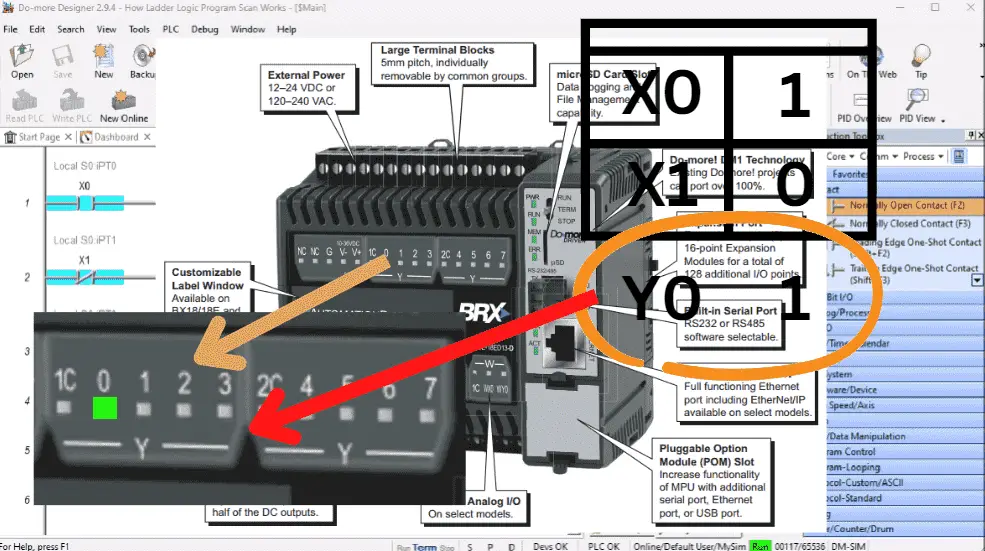
Ladder logic is brilliant if you grew up with relay drawings and baffling if you didn’t. Contacts are inputs, coils are outputs, and a normally-closed contact on the screen does not mean the field device is wired normally closed. Mixing those up is the single most common rung-level mistake I see. Yes, IEC 61131-3 gives you Structured Text, Function Block, and Sequential Function Chart too — but here’s a number that surprises people: even today, the large majority of installed systems are still running ladder logic, much of it decades old. The “old” graphical language isn’t going anywhere, so you have to make peace with thinking in rungs.
Challenge 4 – Timers, counters, and memory that nobody explains well
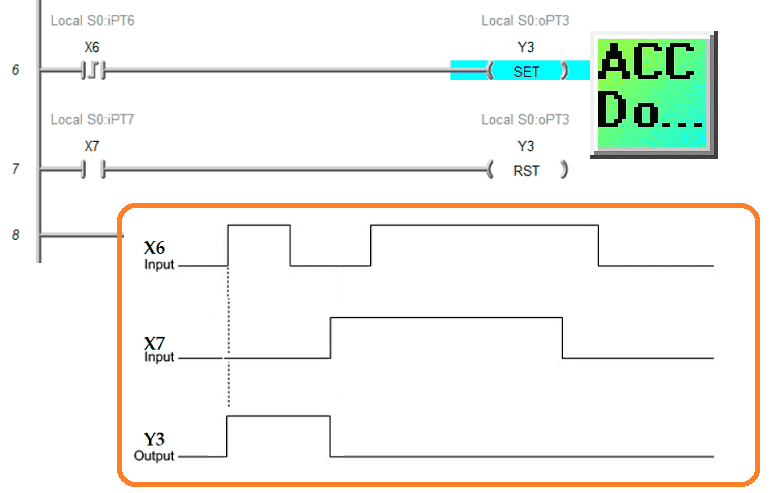
Timers (on-delay, off-delay) and counters (up, down) trip people up constantly, usually because they’re trying to imagine the behaviour instead of drawing a timing diagram. My advice is always the same: when a timer or counter isn’t doing what you expect, stop and sketch the timing diagram first.
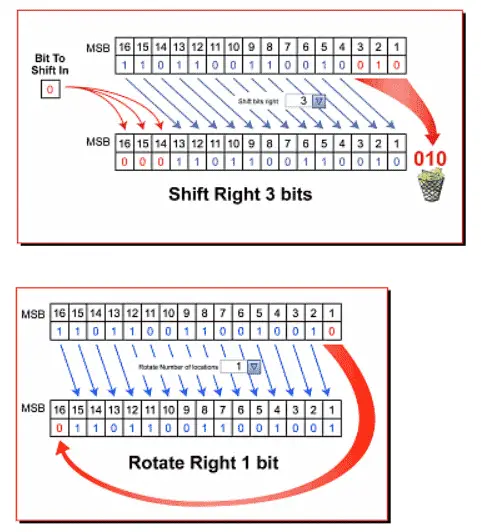
Memory is the quiet one. Input, output, internal, retentive — beginners don’t realize that retentive memory holds its value through a power cycle while non-retentive clears. Get that wrong and your machine “forgets” or “remembers” exactly when you don’t want it to. It’s all just bits, but knowing which bits survive a restart matters.
Challenge 5 – Jumping into code before planning
This one isn’t technical at all, and it’s the one that wastes the most time. Beginners open the software and start dropping contacts before they understand the job. Then come the endless rewrites.
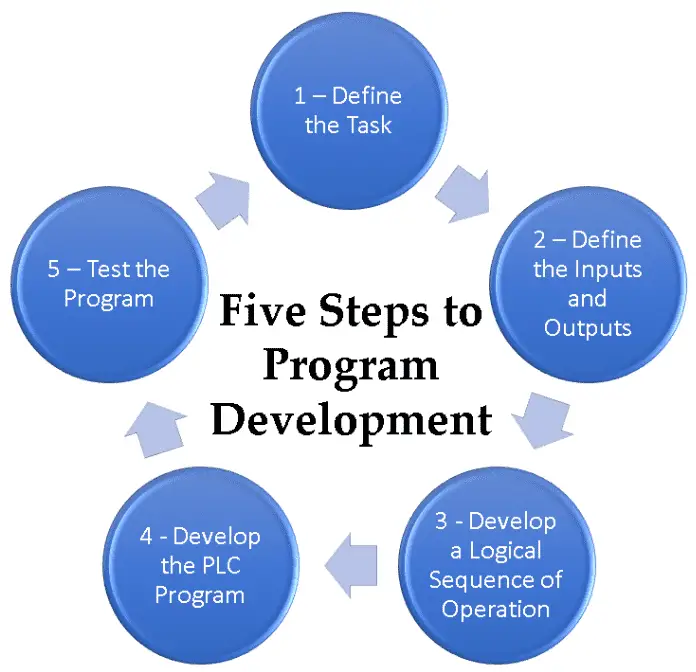
This is exactly why I keep pointing everyone to the Five Steps to PLC Program Development:
- Define the task
- Define the inputs and outputs
- Develop the logical sequence of operation
- Develop the PLC program
- Test the program
Notice that writing the actual program is step four. A PLC programmer should know everything about the system before programming. Skip the front end and you don’t save time — you just move the time to the back end, with interest.
Challenge 6 – Debugging without a “pause” button

Debugging a PLC means going online and watching the live logic highlight as the machine runs. There’s no breakpoint that freezes the world. For someone used to a traditional debugger, this is a real adjustment — but online monitoring is also the PLC’s superpower once it clicks. You can literally see truth flow through the rungs.
The honest fix: stop reading, start running it
Here’s the thing about every challenge above — they all share one root cause. You can’t see what the program is doing. The scan cycle is invisible. The contacts and coils are abstract. The timing of an output is a guess until you watch it.
That’s the whole reason I built the ACC PLC Simulator.
It runs free, right in your browser. No software to install, no hardware to buy, no licence, no login. You write Click-style ladder logic and watch it drive a real 3D machine on screen — inputs lighting up, coils energizing, the scan solving in front of you. Every wall in this article gets shorter the moment the logic becomes something you can see.
There are five scenes waiting for you, and each one targets a different beginner challenge:
- Control Panel – the place to start. Master contacts, coils, start/stop/seal-in, and watch the scan solve. This is where the “thinking in parallel” problem finally clicks.
- Traffic Light – timed sequencing. The best possible way to get comfortable with timers and sequence logic.
- Conveyor – sensors, edges, and reacting to a part moving through the system in real time.
- Tank Fill Station – analog and level control, plus the start of process thinking.
- Palletizer – the big one. Counting, indexing, and sequencing tie everything together. (See the matching Palletizer programming example for the logic walkthrough.)
👉 Try it right now: accautomation.ca/simulator/
Open the Control Panel scene, build a start/stop circuit, toggle the inputs, and watch the rung go true. Ten minutes there will teach you more than an hour of reading — including this article.
Where to go from here
If you’re just starting out, here’s the order I’d actually follow:
- Read the PLC Beginner’s Guide and the PLC Basics page to get the vocabulary.
- Run the ACC PLC Simulator Control Panel scene until the scan cycle feels obvious.
- Review the Top 7 Ladder Logic Mistakes That Trip Up New Programmers so you can avoid them on purpose.
- Pick a real platform — Click, BRX Do-More, or Productivity — and build something small.
None of these challenges is a reason to quit. They’re just the things nobody tells you on day one. Get your hands on a simulator, plan before you program, and respect the machine — and you’ll be past the hard part faster than you think.
Watch on YouTube: The Biggest Obstacles in PLC Programming Nobody Mentions — @ACCautomation
What tripped you up the most when you started? Let me know in the comments below — I read every one.
Regards, Garry
Help maintain this Website — and tell a beginner about the free simulator.