
Secure PLC Email messaging is now available in the latest version of the Productivity Programming suite. SMTP or Transport layer security (TLS) email with an attachment and/or latest data log files can be sent. To be able to use this feature you must have installed Productivity programming suite v3.4 or higher and then load the latest firmware to the Productivity CPU. We can set up 4 different accounts in our PLC project. Account templates are already installed for some of the more common email servers.
We will be sending an email using a Gmail account with authentication. This will also include attached logged data files, error and event files. Our message will also include a switch and register current values when sending our email. We will also discuss how the PLC can send a text (SMS) message. Let’s get started.
Previously in this Productivity 1000 series PLC, we have discussed:
System Hardware – Video
Installing the Software – Video
Establishing Communication – Video
First Program – Video
Documenting the Program – Video
Monitoring and Testing the Program – Video
Online Editing and Debug Mode – Video
Numbering Systems and Tag Database – Video
Contact and Coil Instructions – Video
Timer Instructions – Video
Counter Instructions – Video
Math Instructions – Video
Data Handling Instructions Part 1 – Video
Data Handling Instructions Part 2 – Video
Array Functions Part 1 – Video
Array Functions Part 2 – Video
Array Functions Part 3 – Video
Program Control – Video
Drum Sequencer Instructions – Video
Data Logger – Video
Web Server – Video
Modbus RTU Serial Communication – Video
Modbus TCP Ethernet Communication – Video
Firmware Update – Video
AdvancedHMI Modbus TCP Ethernet Communication – Video
Note:
Google is removing “Less Secured Apps” in the mail app. (Gmail) If you are using this to send email from your controller, you must enable 2-step verification. This will then give you the option to generate an “App Password” for your controller or program.
Gmail Less Secure App Access – App Passwords
Secure Email Requirements – Productivity Series PLC
Productivity Suite Software – V3.4 or higher
Productivity Firmware 1.2.7.37 or higher
Please see the following post for a review on how to update the firmware.
Productivity 1000 Series PLC Firmware Update – Video
We are currently working with the Productivity 1000 but this is also available for the Productivity 2000 and 3000 series of controllers.
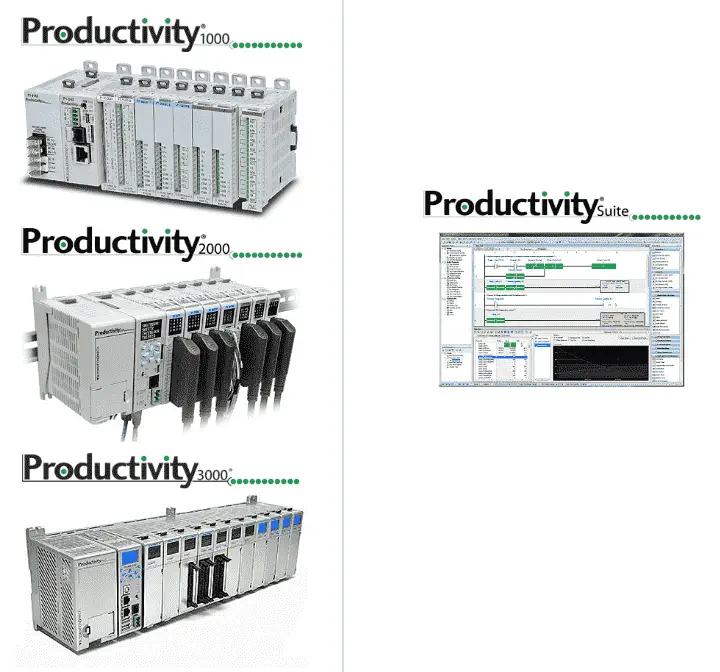
The same Productivity Suite software will program the entire PLC series.
See the video below to watch our secure Email instruction in action with our Productivity 1000 PLC.
Hardware Configuration – Productivity Series PLC
Select Hardware Config under the Setup in Applications Tools or use the main menu | Setup | Hardware Config.
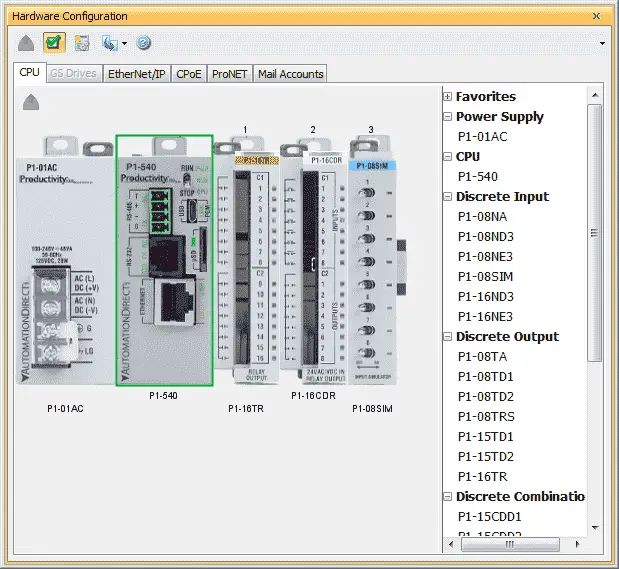
Double click on the CPU unit P1-540.
Select the Ethernet Port on the top tabs under the CPU Module.
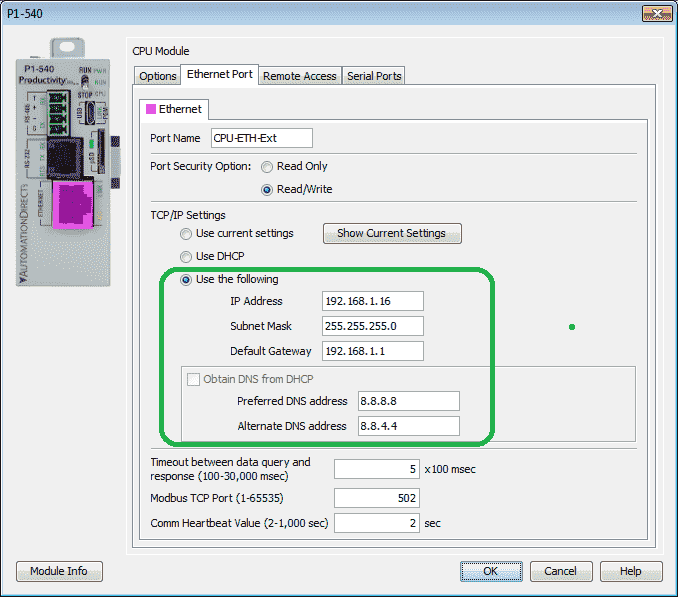
Under the TCP/IP Settings
Use the following:
– IP Address – 192.168.1.16
– Subnet Mask – 255.255.255.0
– Default Gateway – 192.168.1.1
We will also set the DNS (Domain Name Server). If we specify a specific IP address such as 74.125.124.27 we do not need a DNS. However, if we specify aspmx.l.google.com then we need a DNS to look up the specific IP address.
In our example, we will be using the google DNS server address.
Preferred DNS address – 8.8.8.8
Alternate DNS address – 8.8.4.4
If this is not specified then the email server may not be found.
Select OK to close the P1-540 window and return to the hardware configuration window.
Our Ethernet port is now set up on the Productivity 1000 PLC.
Mail Accounts
Select Mail Accounts on the tab menu of the Hardware Configuration window.
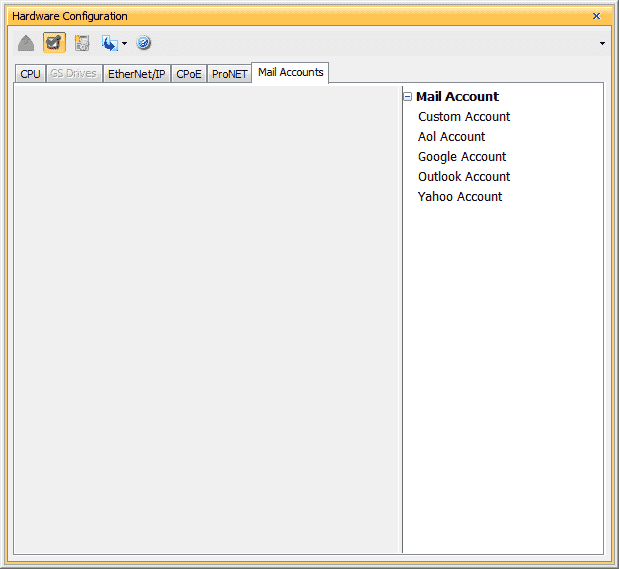
There are pre-programmed email accounts along the right side under Mail Account. We can program a maximum of 4 email accounts in this tab.
Select Google Account by double-clicking on it on the right.
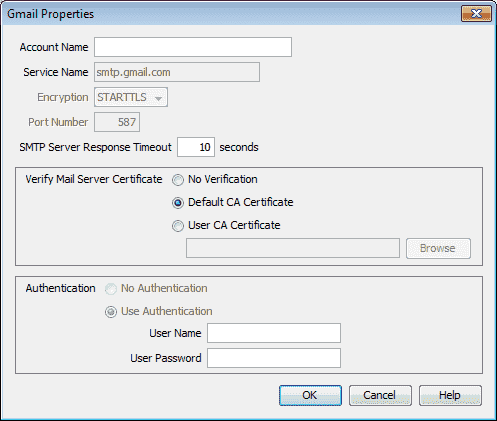
Account Name – We will call this by the user name gclshortt@gmail.com
Service Name – smtp.gmail.com – This is the default address for Google mail. Since this is a name we have to set up the DNS listed above.
SMTP Server Response Timeout – We will leave this as the default 10 seconds.
Verify Mail Server Certificate – We will leave this as the Default CA Certificate.
Authentication – User Name – This is the user name for the Gmail account.
User Password – This is the Gmail password for the account.
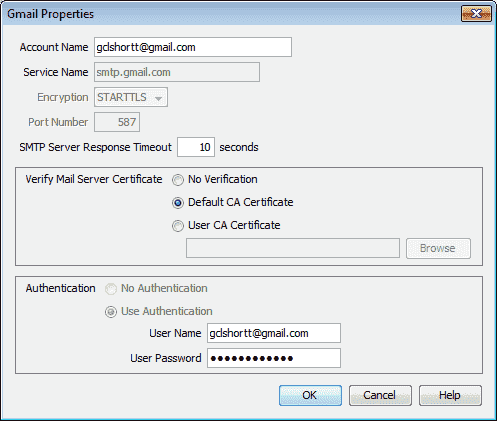
This is the completed Gmail Properties window. Select OK to return to the hardware configuration window.
We can also set up a restricted Gmail server account in the PLC.
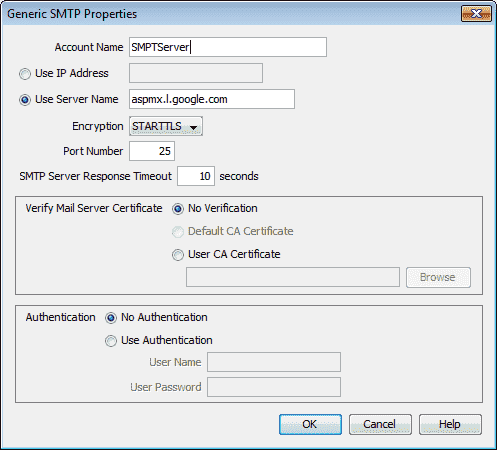
This is similar to our other PLC email posts with the BRX and Do-More programming.
Here’s is a quick way to send email text messages from the PLC – Video
BRX PLC Email – Text SMS Messaging Gmail – Video
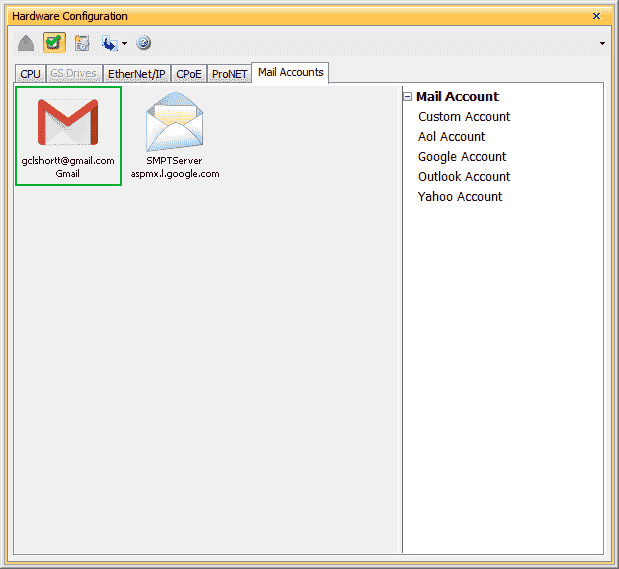
We have now set up the Ethernet Port and Mail Accounts. The last part is to program email instruction.
Email Instruction – Productivity Series PLC
We will be modifying the program from the post Productivity 1000 Series PLC Data Logger.
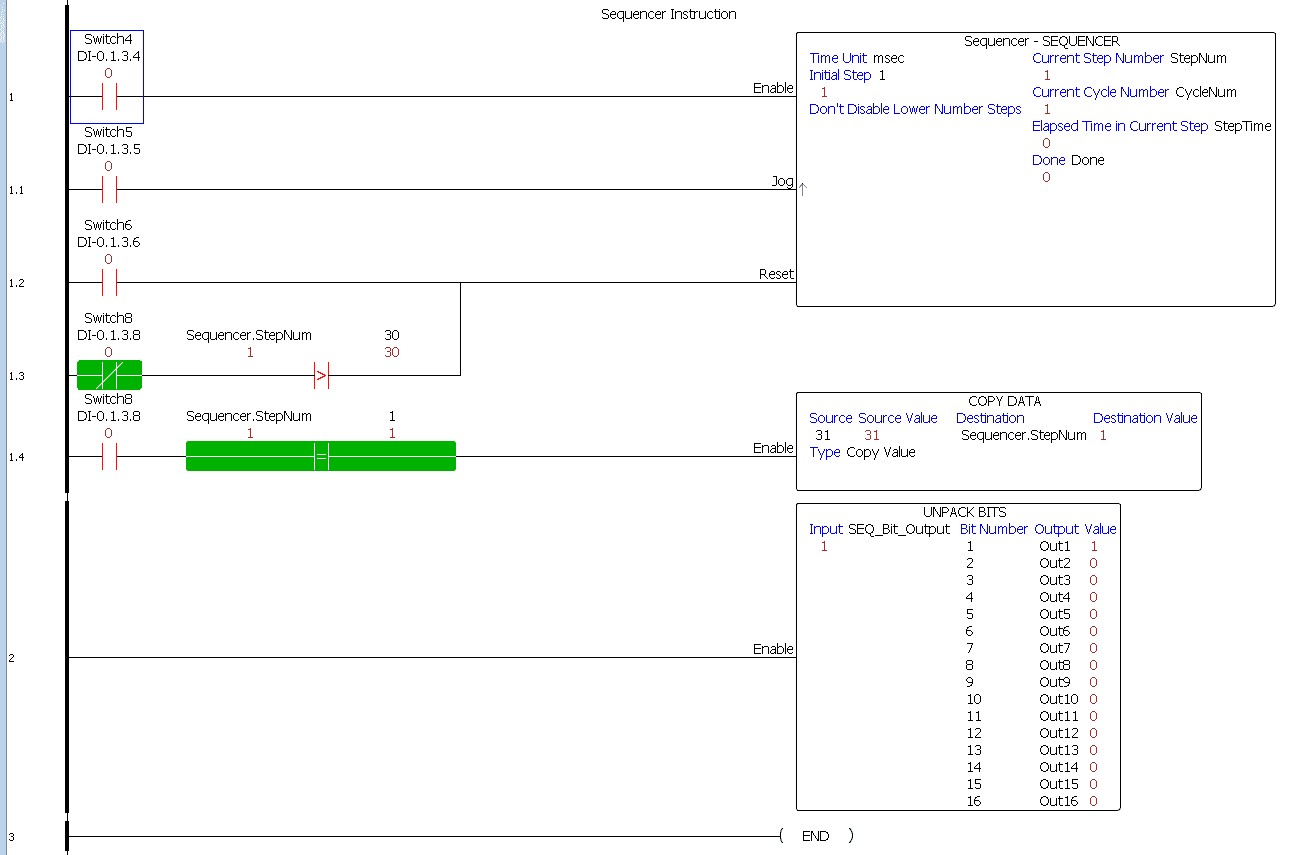
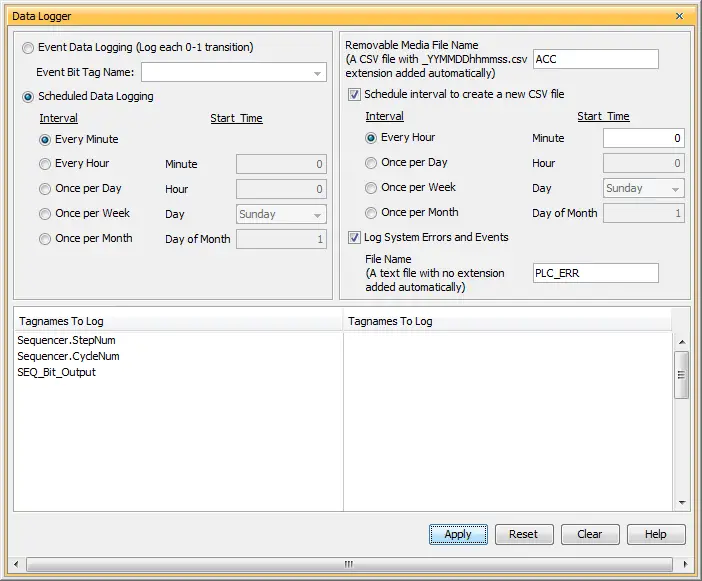
Under Task Management we will add a new task called Email. This will be placed under the Run Every Scan section.
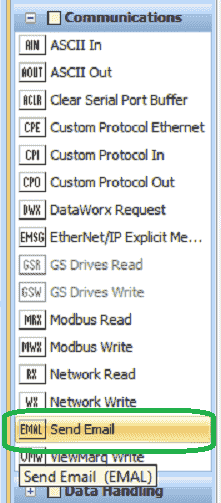
Select Send Email (EMAL) under the Communication in the Instructions.
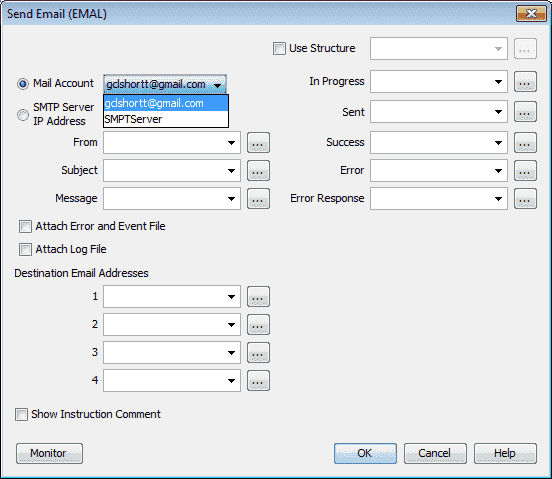
Our mail account will be gclshortt@gmail.com that we previously set up. All of the accounts will be shown that are set so we can choose.
We will Use Structure named Email. This will set up a number of variables that we can use in our program.
Our From will be sent to gclshortt@gamil.com
Select Attach Error and Event File – This will send the current error and event file with our email.
Select Attach Log File – This will attach the latest log file recorded.
Destination Email Address – We can send to four different email addresses. In our case, we will only be sending it to gclshortt@gmail.com.
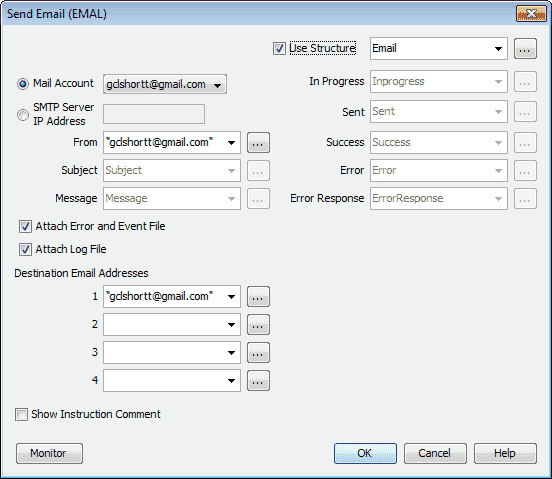
Here is the completed instruction. Select OK
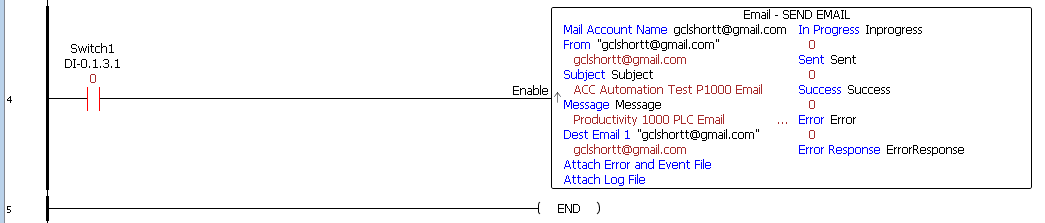
We will use Switch 1 to send the email when on. The instruction will only trigger on the leading edge of the input signal. Switch 1 transition from off to on only.
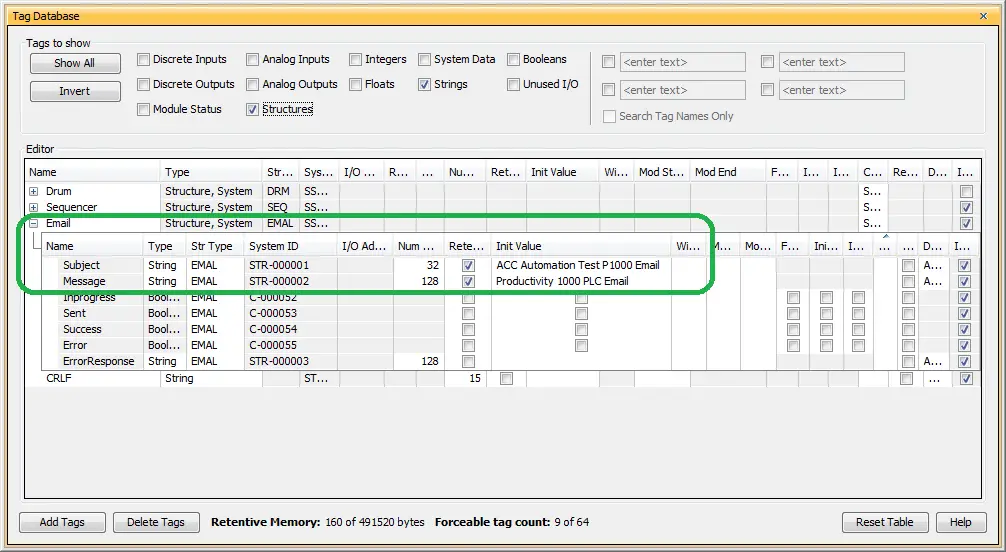
Email Subject
Looking at the email subject we will set the subject string in our tag database to “ACC Automation Test P1000 Email”
Email Message
Our email message will start with “Productivity 1000 PLC Email”
We will be using the Pack String instruction to add to our email message. We will be adding the status of switch 2 and the value of the Avg Scan Interval to our email message. The first thing that we need to do is create control characters (CRLF) carriage return and line feed. This will allow us to space the information so it can easily be read.

The copy data instruction is used to copy 0x0d0a into a CRLF integer array. The 0x0d0a represents the ASCII characters for a line feed and carriage return.
We then use copy characters to copy CRLF IntArray into our CRLF string.

We can now use a Pack String instruction to create our email message.
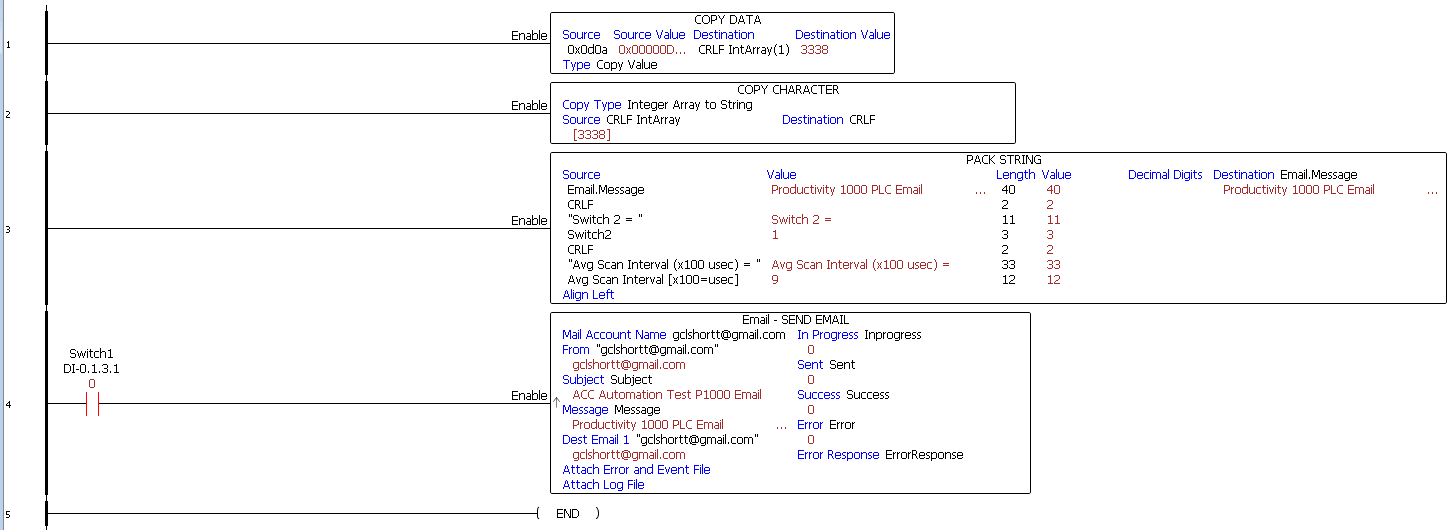
Here is our email section of the program.
See the video below to watch our secure Email instruction in action with our Productivity 1000 PLC.
Email to SMS (Text) message Gateways
Email to SMS Gateways can be used to forward your message in a text format. Here is a website that will show a List of Email to SMS Gateways.
Here are some that we use in Canada: Example: 613-451-0104 on Rogers network = 6134510104@sms.rogers.com
number@txt.bellmobility.ca
number@sms.wirefree.informe.ca
number@sms.fido.ca
number@msg.telus.com
number@sms.lynxmobility.com
number@text.mtsmobility.com
number@mobiletxt.ca
number@pcs.rogers.com
number@sms.sasktel.com
number@vmobile.ca
number@txt.windmobile.ca
number@sms.wirefree.informe.ca
Note:
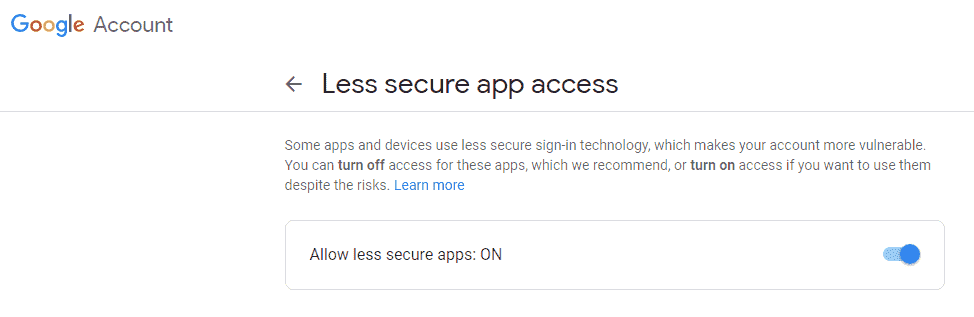
When using Gmail accounts, sometimes you need to turn on the Less secure app access.
1 – Sign in to Gmail
2 – Click here to access Less Secure App Access in My Account.
3 – Next to “Allow less secure apps: OFF,” select the toggle switch to turn ON.
This setting may not be available for:
Accounts with 2-Step Verification enabled: Such accounts require an application-specific password for less secure apps access.
G Suite users: This setting is hidden if your administrator has locked less secure app account access.
Gmail Failed TLS handshake (-188)’ error
This is caused by an invalid certificate for Gmail. Go to the following thread on the AD forum. Download the gmailX.cer to your project folder. The certificate is valid until 2028.
Download the productivity 1000 email program here.
See the video below to watch our secure Email instruction in action with our Productivity 1000 PLC.
Productivity 1000 Series PLC form Automation Direct
Overview Link (Additional Information on the Unit)
Configuration (Configure and purchase a system – BOM)
User Manual and Inserts (Installation and Setup Guides)
Productivity Suite Programming Software (Free Download Link)
This software contains all of the instruction sets and help files for the Productivity Series.
Next time we will look at the PID instruction in the Productivity 1000 Series PLC.
Watch on YouTube: Productivity 1000 Series PLC Email Text Communication
If you have any questions or need further information please contact me.
Thank you,
Garry
If you’re like most of my readers, you’re committed to learning about technology. Numbering systems used in PLC’s are not difficult to learn and understand. We will walk through the numbering systems used in PLCs. This includes Bits, Decimal, Hexadecimal, ASCII and Floating Point.
To get this free article, subscribe to my free email newsletter.
Use the information to inform other people how numbering systems work. Sign up now.
The ‘Robust Data Logging for Free’ eBook is also available as a free download. The link is included when you subscribe to ACC Automation.